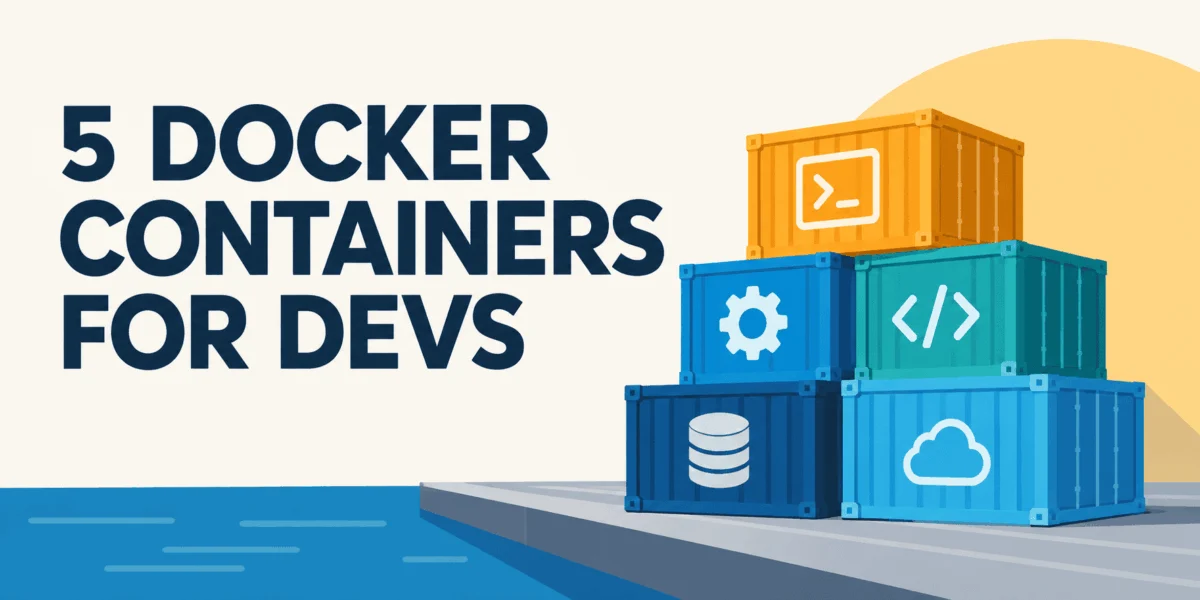

The rapid evolution of modern software development has seen containerization emerge as a cornerstone technology, with Docker leading the charge in standardizing how applications are packaged, shipped, and run. Its widespread adoption across enterprises, from startups to Fortune 500 companies, underscores its power in fostering consistent environments and streamlining deployment pipelines. However, the convenience of Docker can often mask underlying inefficiencies, leading to bloated images, protracted build times, and increased operational costs. Developers frequently encounter Docker images weighing in at several gigabytes, with rebuilds stretching into minutes even for minor code alterations, making every push and pull a test of patience. These issues are not inherent flaws in Docker but rather common outcomes when Dockerfiles are crafted without a strategic focus on base image selection, build context management, and intelligent caching mechanisms. Addressing these challenges does not necessitate a complete architectural overhaul; rather, a targeted application of proven best practices can yield dramatic improvements, often reducing image sizes by 60-80% and transforming sluggish rebuilds into near-instantaneous operations.
This article delves into five practical, industry-standard techniques designed to optimize Docker image efficiency. These methods are not advanced arcane knowledge but rather fundamental habits that, when consistently applied, lead to significantly smaller, faster, and more secure Docker images. By understanding and implementing these strategies, organizations can enhance developer productivity, reduce infrastructure costs, and accelerate their continuous integration and continuous delivery (CI/CD) pipelines.
The Foundational Choice: Selecting Optimized Base Images
Every Dockerfile begins with a FROM instruction, designating the base image upon which the entire application stack will be built. This initial choice is paramount, as the base image dictates the minimum size of your final container image, even before a single line of your own application code is added. Many developers, seeking simplicity or familiarity, often default to full-featured base images, such as python:3.11, node:18, or ubuntu:latest. While convenient, these images are frequently laden with compilers, development utilities, documentation, and a plethora of system packages that are entirely superfluous for the application’s runtime needs.
For instance, the official python:3.11 image, built on a full Debian distribution, includes a comprehensive set of libraries and tools suitable for development environments. However, a production application rarely requires a C compiler or a full suite of debugging utilities. This leads to substantial unnecessary bulk.
Consider the typical size disparities:
FROM python:3.11(Full image – comprehensive Debian base)FROM python:3.11-slim(Slim image – minimal Debian base)FROM python:3.11-alpine(Alpine image – even smaller, musl-based Linux)
Building and comparing images from these different bases reveals a stark contrast. A docker images | grep python command would typically show python:3.11 consuming hundreds of megabytes, while python:3.11-slim offers a significant reduction, and python:3.11-alpine is often orders of magnitude smaller. For example, python:3.11 might be around 900MB, python:3.11-slim closer to 120MB, and python:3.11-alpine potentially under 50MB.
The decision between slim and alpine variants hinges on specific project requirements. The slim variants (e.g., python:3.11-slim, node:18-slim) are based on minimal Debian distributions. They retain compatibility with most standard libraries and system calls that rely on glibc, making them a safer and often seamless transition from full images. They significantly reduce image size without introducing major compatibility hurdles.
Conversely, alpine images (e.g., python:3.11-alpine, node:18-alpine) are built on Alpine Linux, a highly compact distribution that uses musl libc instead of glibc. This fundamental difference allows for extremely small image sizes, which translates to faster downloads, reduced storage footprints, and a minimized attack surface. However, the musl libc dependency can introduce compatibility challenges for certain Python packages with C extensions, or compiled binaries that implicitly link against glibc. While these issues are less common than they once were, thorough testing is essential when opting for an alpine base.
Rule of thumb: Begin with a slim base image (python:3.1x-slim, node:18-slim). This provides a substantial size reduction with minimal compatibility risk. Only transition to an alpine image if the absolute smallest footprint is critical and you have verified that all your application’s dependencies are compatible with musl libc. This strategic choice at the outset sets the stage for a lean and efficient containerization process.
Strategic Layering for Enhanced Build Caching
Docker’s efficiency is deeply rooted in its layered filesystem and sophisticated caching mechanism. Each instruction in a Dockerfile (RUN, COPY, ADD, FROM, ENV, etc.) creates a new layer. Once a layer is successfully built, Docker caches it. During subsequent builds, if an instruction and its context (e.g., files being copied) remain unchanged, Docker intelligently reuses the cached layer, skipping the rebuild process entirely. This dramatically accelerates build times.
The critical caveat to this efficiency is cache invalidation: if any layer changes, every subsequent layer in the Dockerfile is considered invalid and must be rebuilt from scratch. This mechanism, while logical, is a frequent source of frustration and wasted time for developers unaware of its implications.
A common anti-pattern involves copying the entire application codebase early in the Dockerfile, prior to installing dependencies:
# Bad layer order – dependencies reinstall on every code change
FROM python:3.11-slim

WORKDIR /app

COPY . .                          # copies everything, including your code
RUN pip install -r requirements.txt   # runs AFTER the copy, so it reruns whenever any file changes
In this scenario, even a single-line change in app.py or any other source file will invalidate the COPY . . layer. Consequently, Docker is forced to re-execute the RUN pip install -r requirements.txt command, reinstalling all dependencies from scratch. For projects with extensive requirements.txt files or complex build-time dependencies, this can add minutes to every iterative rebuild, severely hampering developer productivity and CI/CD pipeline speed. Anecdotal evidence from developer surveys consistently highlights dependency installation as one of the longest steps in unoptimized Docker builds.
The solution is straightforward: structure your Dockerfile to place instructions that change least frequently at the top, followed by those that change more often. Dependencies, typically defined in a requirements.txt or package.json, tend to be more stable than the application’s core business logic.
The optimized approach involves copying only the dependency manifest first, installing dependencies, and then copying the rest of the application code:
# Good layer order – dependencies cached unless requirements.txt changes
FROM python:3.11-slim

WORKDIR /app

COPY requirements.txt .           # copy only requirements first
RUN pip install --no-cache-dir -r requirements.txt   # install deps – this layer is cached

COPY . .                          # copy your code last – only this layer reruns on code changes

CMD ["python", "app.py"]
With this refined order, a change in app.py or any other application file will only invalidate the final COPY . . layer. Docker will reuse the cached pip install layer, saving significant time. This practice is universally applicable across languages and ecosystems, whether managing Python packages, Node.js modules, or Go dependencies. It is a fundamental principle for leveraging Docker’s caching effectively and minimizing rebuild times.
Rule of thumb: Arrange COPY and RUN instructions in order of least-frequently-changed to most-frequently-changed components. Always install dependencies before copying the main application code.
The Efficiency Powerhouse: Utilizing Multi-Stage Builds
A common challenge in Docker image optimization arises from the need for build-time tools that are entirely unnecessary for the application’s runtime. Compilers, testing frameworks, linters, and extensive SDKs are essential during the development and build phases but add significant bloat to the final deployable image. In a single-stage Dockerfile, these build dependencies inevitably become part of the shipped container, increasing its size, network transfer times, and potential attack surface.
Multi-stage builds provide an elegant solution to this problem by allowing developers to define multiple distinct stages within a single Dockerfile. Each stage can be based on a different image and perform specific tasks. Critically, Docker allows copying only the necessary artifacts from one stage to another, effectively discarding all intermediate build tools and temporary files. This ensures that the final image contains only what is absolutely required for the application to run.
Consider a Python example where some packages require C compilers (gcc, build-essential) during installation:
# Single-stage – build tools end up in the final image
FROM python:3.11-slim

WORKDIR /app

RUN apt-get update && apt-get install -y gcc build-essential
COPY requirements.txt .
RUN pip install --no-cache-dir -r requirements.txt

COPY . .
CMD ["python", "app.py"]
In this single-stage approach, gcc and build-essential are permanently baked into the final image, even though they are only needed during the pip install step.
Now, observe the transformation with a multi-stage build:
# Multi-stage – build tools stay in the builder stage only

# Stage 1: builder – install dependencies and build artifacts
FROM python:3.11-slim AS builder

WORKDIR /app

RUN apt-get update && apt-get install -y gcc build-essential
    && rm -rf /var/lib/apt/lists/* # Cleanup in the same layer

COPY requirements.txt .
RUN pip install --no-cache-dir --prefix=/install -r requirements.txt

# Stage 2: runtime – clean image with only what's needed
FROM python:3.11-slim

WORKDIR /app

# Copy only the installed packages from the builder stage
COPY --from=builder /install /usr/local

COPY . .

CMD ["python", "app.py"]
In this multi-stage example, gcc and build-essential are installed only within the builder stage. The runtime stage starts fresh from a clean python:3.11-slim base. The crucial COPY --from=builder /install /usr/local instruction transfers only the Python packages installed by pip in the builder stage to the final image. All the heavy build tools, along with their associated temporary files, are discarded when Docker moves from the builder stage to the runtime stage. This pattern is exceptionally powerful and yields significant size reductions, particularly in languages like Go (where a compiled static binary can be copied into an incredibly small scratch or alpine image) or Node.js (where node_modules directories, often hundreds of megabytes, can be processed in a builder and only the minimal required components copied). The average reduction can be 30-70% depending on the complexity of build dependencies.
Minimizing Bloat with In-Layer Cleanup
Docker’s layered architecture dictates that once a file is added to a layer, it becomes part of that layer’s immutable history. Even if a file is "deleted" in a subsequent RUN instruction, its presence in the earlier layer still contributes to the overall image size. This characteristic makes it crucial to clean up temporary files and caches within the same RUN instruction that creates them.
This principle is most evident when installing system packages. Package managers like apt-get on Debian-based systems download package lists and cache files to /var/lib/apt/lists/. If these are not cleaned up immediately, they are committed to the image layer. A separate RUN rm -rf /var/lib/apt/lists/* command will indeed remove them from the final filesystem state, but the previous layer still retains the data, contributing to the image’s overall size.
# Cleanup in a separate layer – cached files still bloat the image
FROM python:3.11-slim

RUN apt-get update && apt-get install -y curl
RUN rm -rf /var/lib/apt/lists/* # already committed in the layer above
To truly prevent these temporary files from bloating the image, the cleanup must occur within the same RUN command:
# Cleanup in the same layer – nothing is committed to the image
FROM python:3.11-slim

RUN apt-get update && apt-get install -y curl
    && rm -rf /var/lib/apt/lists/*
By chaining commands with &&, all operations are treated as a single Docker instruction, resulting in a single layer. This ensures that any temporary files created and then deleted within that single RUN command are not committed to any intermediate layer, thus reducing the final image size. This logic extends beyond apt-get to other package managers (e.g., yum clean all for RHEL/CentOS, npm cache clean --force for Node.js) and any other build steps that generate temporary artifacts. While the individual savings might seem small, these cumulative reductions contribute to a noticeably leaner image.
Rule of thumb: Any apt-get install or similar package installation command should be immediately followed by its corresponding cleanup command (e.g., && rm -rf /var/lib/apt/lists/*) within the same RUN instruction. Make this a consistent habit.
Controlling the Build Context with .dockerignore Files
One of the most overlooked yet impactful optimization techniques involves managing the Docker build context. When docker build is executed, the Docker client typically sends the entire contents of the specified build directory (usually the current working directory) to the Docker daemon. This "build context" is transferred before any instructions in the Dockerfile are processed.
Without a .dockerignore file, this build context often includes a vast array of files and directories that are completely irrelevant to the final Docker image. This can encompass:
- Version control history (
.git,.svn). - Local development artifacts (
.venv,node_modules,__pycache__, compiled binaries). - Large datasets or temporary files (
data/,*.csv,*.parquet,*.xlsx). - IDE configuration files (
.vscode/,.idea/). - Test suites (
tests/,pytest_cache/). - Crucially, sensitive environment files and credentials (
.env,*.pem,*.key).
The consequences of an uncontrolled build context are manifold:
- Slow Builds: Transferring gigabytes of unnecessary data to the Docker daemon, especially when the daemon is remote (e.g., in a cloud environment), significantly prolongs the initial build setup phase.
- Bloated Images: If a
COPY . .instruction is used, all these irrelevant files might inadvertently be copied into the image, increasing its size and potentially exposing internal project structure. - Security Risks: Accidentally including
.envfiles with API keys, database credentials, or other sensitive information in the build context can lead to these secrets being baked into the image, posing a severe security vulnerability. This is particularly dangerous if images are shared or pushed to public registries.
The .dockerignore file operates similarly to a .gitignore file, specifying patterns for files and directories that should be excluded from the build context sent to the Docker daemon. By proactively defining these exclusions, developers can drastically reduce the size of the build context, accelerating the build process and preventing unwanted files from entering the image.
A comprehensive .dockerignore file for a typical Python project might include:
# Python artifacts
__pycache__/
*.pyc
*.pyo
*.pyd
.Python
*.egg-info/
.pytest_cache/

# Virtual environments
.venv/
venv/
env/
.env

# Data files (avoid baking large datasets into images)
data/
*.csv
*.parquet
*.xlsx
*.feather
*.jsonl

# Jupyter notebooks and related files
.ipynb_checkpoints/
*.ipynb
jupyter_notebook_config.py

# Test-related files
tests/
test_*.py
.coverage

# IDE specific files
.vscode/
.idea/
*.swp
*~

# Source control
.git/
.gitignore

# Logs and temporary files
*.log
tmp/
temp/

# Configuration and secrets (CRITICAL for security)
.env
*.pem
*.key
*.crt
credentials.json
Implementing a .dockerignore file can lead to the single biggest optimization win, particularly for data-intensive projects or repositories with extensive development histories. For projects where the source directory might contain hundreds of megabytes or even gigabytes of data, this can reduce the build context transfer time from minutes to seconds. Furthermore, its role in preventing sensitive files from being inadvertently included in the image is a fundamental security best practice. While .dockerignore prevents secrets from being baked into the image, for runtime secrets, industry best practices recommend using Docker secrets, Kubernetes secrets, or cloud-specific secret management services.
Rule of thumb: Always implement a .dockerignore file from the outset of any Dockerized project. Prioritize excluding virtual environments, large data files, and especially any credential or sensitive configuration files (.env, API keys, certificates).
Broader Impact and Industry Adoption
The collective application of these five Docker best practices extends far beyond mere convenience, yielding substantial benefits across the entire software development lifecycle.
Developer Productivity: Faster build times translate directly into quicker feedback loops. Developers spend less time waiting for builds to complete and more time writing and iterating on code. This enhanced agility fosters a more productive and satisfying development experience.
Operational Efficiency and Cost Savings: Smaller image sizes mean reduced storage requirements on Docker registries (e.g., Docker Hub, AWS ECR, Google Container Registry). Lower network bandwidth is consumed during image pushes, pulls, and deployments, which can lead to significant cost reductions for organizations operating at scale, especially in cloud environments where data transfer and storage are metered. Faster deployments also mean quicker rollbacks in case of issues, minimizing downtime.
Enhanced Security Posture: By using minimal base images, employing multi-stage builds to discard build tools, and carefully managing the build context with .dockerignore, the attack surface of container images is dramatically reduced. Fewer unnecessary packages, libraries, and files mean fewer potential vulnerabilities that attackers can exploit. This aligns with the principle of least privilege, ensuring that the deployed application only contains what it absolutely needs.
Sustainability and Green IT: Smaller images and faster builds consume fewer computational resources and less network energy. In an era where environmental impact is an increasing concern, optimizing containerization practices contributes to a more sustainable IT infrastructure by reducing the carbon footprint associated with data storage and transfer.
CI/CD Integration and DevOps Maturity: These practices are not just "tips" but fundamental tenets of modern CI/CD pipelines and DevOps methodologies. Automated pipelines thrive on speed and efficiency. Optimized Dockerfiles ensure that builds are fast, reliable, and consistent, making continuous integration and continuous delivery more robust and effective. Industry leaders and cloud providers consistently advocate for these techniques as foundational to scalable and resilient container strategies.
While these five practices form a strong foundation, the evolution of containerization continues. Tools like BuildKit offer advanced caching and parallelization, while "distroless" images provide even more minimal runtime environments. However, these advanced techniques often build upon the core principles outlined here.
In summary, the journey to optimized Docker images is less about mastering complex tools and more about cultivating disciplined habits. By consistently selecting slim base images, strategically ordering layers for cache efficiency, leveraging multi-stage builds to separate concerns, performing in-layer cleanup, and meticulously defining .dockerignore files, developers can transform their containerization workflow. The return on this investment in terms of faster builds, smaller images, reduced costs, and improved security is undeniable, making these practices indispensable for any organization embracing container technology.