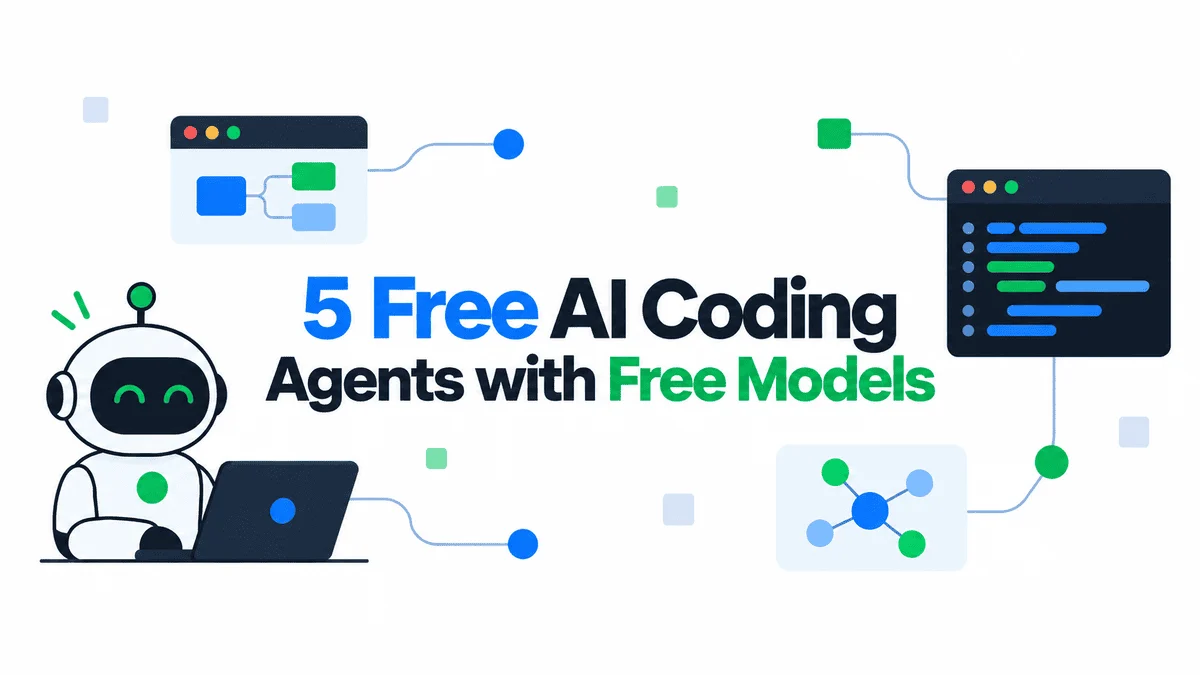

In an exciting paradigm shift for software development, the advent of powerful artificial intelligence coding assistants capable of operating entirely offline and locally on personal computers is democratizing access to cutting-edge tools. This transformative development eliminates the need for costly monthly subscriptions and addresses growing concerns over data privacy, enabling developers to harness the power of AI without compromising their intellectual property. A notable, accessible solution involves the synergistic combination of OpenCode, Ollama, and the Qwen3-Coder model, offering a robust, free, and completely local AI coding environment.
This innovative setup provides developers with a private, high-performance AI pair programmer, marking a significant step towards self-sovereign development workflows. By integrating OpenCode as the intuitive interface, Ollama as the efficient model manager, and Qwen3-Coder as the intelligent language model, users can create a fully functional, local AI assistant that promises complete privacy, near-zero latency, and unlimited use. This convergence of open-source tools signifies a pivotal moment, empowering individual developers and small teams to leverage advanced AI capabilities previously confined to expensive cloud platforms.
The Paradigm Shift: From Cloud Dependence to Local Autonomy
The proliferation of cloud-based AI coding assistants, such as GitHub Copilot, revolutionized developer productivity by offering intelligent code completion, bug fixing, and generation capabilities. However, their widespread adoption brought forth inherent challenges, primarily concerning data privacy, operational costs, and internet dependency. Many developers, particularly those working on sensitive proprietary projects, expressed reservations about sending their code to third-party servers for processing. According to a 2023 survey by Stack Overflow, nearly 60% of professional developers reported concerns about data security and privacy when utilizing cloud-based AI tools. Furthermore, the recurring subscription fees, often ranging from $10 to $20 per month per user, can accumulate into substantial expenses for teams and independent contractors, especially when considering the fluctuating global economic landscape.
The limitations of cloud-based solutions have spurred a significant movement towards local AI inference. This shift is driven by a desire for greater control, enhanced security, and cost-effectiveness. A local setup ensures that sensitive code remains exclusively on the developer’s machine, mitigating risks associated with data breaches or unauthorized access. It also eliminates the reliance on a stable internet connection, making AI assistance available in diverse working environments, from remote locations to air-gapped systems. Crucially, by running models locally, developers gain complete ownership of their AI tools, free from vendor lock-in or unexpected changes in service terms. This newfound autonomy is fostering innovation, allowing developers to experiment, fine-tune, and integrate AI seamlessly into their workflows without external constraints.
Unpacking the Core Components: OpenCode, Ollama, and Qwen3-Coder
To fully appreciate the capabilities of this local AI coding assistant, it is essential to understand the distinct roles and contributions of its three primary components:
-
OpenCode: Positioned as the user-facing artificial intelligence coding assistant interface, OpenCode provides the crucial interactive layer that bridges the developer with the underlying AI model. It is designed to interpret natural language requests, translate them into actionable coding tasks, and present proposed code modifications or solutions directly within the terminal environment. Its intelligent design allows for a conversational approach to programming, where developers can articulate their needs, and OpenCode responds with suggested actions, often presenting diffs for approval, ensuring the developer maintains ultimate control over their codebase. This tool-based architecture allows OpenCode to intelligently interact with the file system and perform complex operations based on AI recommendations.
-
Ollama: Serving as the robust model manager, Ollama simplifies the often-complex process of downloading, running, and managing large language models (LLMs) locally. Before Ollama’s emergence in late 2023, setting up local LLMs often involved intricate configurations, dependency management, and specific hardware optimizations. Ollama abstracts away this complexity, providing a user-friendly command-line interface and an API to effortlessly pull, serve, and interact with various open-source models. Its efficiency in leveraging local hardware, including GPU acceleration where available, makes it an indispensable backbone for running powerful models like Qwen3-Coder with optimal performance on consumer-grade machines. Industry analysts at Gartner predict that tools simplifying local LLM deployment will be critical for enterprise adoption, with Ollama at the forefront of this trend.
-
Qwen3-Coder: This is the artificial intelligence model itself, the "brain" behind the operation. Qwen3-Coder, particularly its 7-billion parameter variant (qwen2.5-coder:7b), represents a significant achievement in specialized large language models tailored for coding tasks. Developed by Alibaba Cloud, the Qwen series of models have garnered acclaim for their performance across a wide array of benchmarks. Qwen3-Coder is specifically fine-tuned on vast datasets of code, making it exceptionally proficient in generating, explaining, debugging, and refactoring code in multiple programming languages. The 7B parameter version strikes an excellent balance between coding prowess, inference speed, and manageable hardware requirements, making it an ideal choice for local deployment on typical developer workstations. Its capabilities rival or even surpass many proprietary models of similar scale, offering state-of-the-art performance in a privacy-preserving local environment.
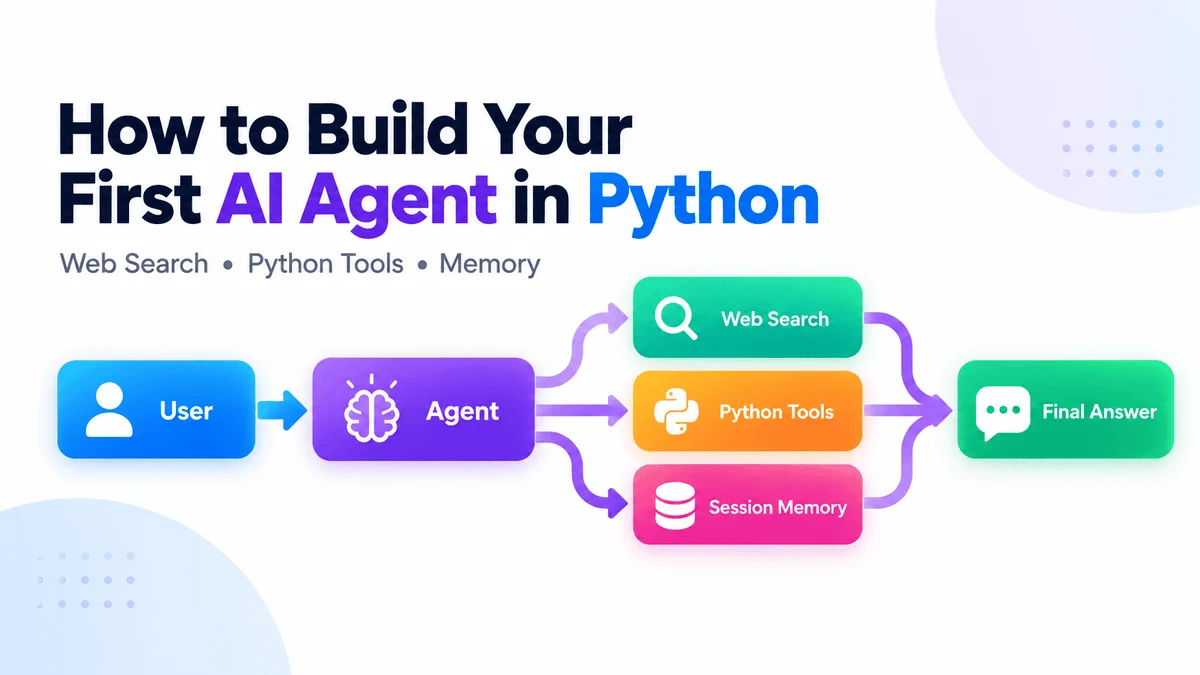
The synergy among these three tools is profound. OpenCode leverages Ollama’s efficient model serving capabilities to communicate with Qwen3-Coder. This integration ensures that OpenCode can provide its intelligent assistance using a powerful, locally hosted AI model, delivering a seamless and highly responsive user experience.
Meeting the Prerequisites: Ensuring a Smooth Setup
While the setup process is streamlined, certain foundational requirements ensure optimal performance and a smooth experience. A modern operating system (macOS, Linux, or Windows) is essential. For hardware, a minimum of 8GB of RAM is generally recommended for the qwen2.5-coder:7b model, though 16GB or more will significantly enhance performance and allow for larger models or more complex tasks. A relatively modern CPU is sufficient, but the presence of a dedicated GPU (NVIDIA or AMD) with at least 6GB-8GB of VRAM will dramatically accelerate inference speeds, reducing response times from seconds to milliseconds. The model itself requires approximately 5GB of disk space, with additional space needed for other tools and future models. These modest requirements make the local AI assistant accessible to a broad spectrum of developers, from students to seasoned professionals, without necessitating high-end specialized hardware.
The Step-by-Step Journey: Building Your Local AI Assistant
The process of establishing this powerful local AI coding environment is remarkably straightforward, typically involving three primary installation steps followed by a brief configuration.
Installing Ollama
Ollama serves as the cornerstone for managing and running local LLMs. Its installation is designed for simplicity across major operating systems. For macOS and Linux users, a single command executed in the terminal typically initiates the download and setup: curl -fsSL https://ollama.com/install.sh | sh. Windows users can download an intuitive installer directly from the Ollama website. Upon successful installation, verifying the setup by running ollama -v in the terminal should display the installed version number, confirming its operational readiness. This minimal barrier to entry has been a key factor in Ollama’s rapid adoption within the developer community.
Installing OpenCode
OpenCode, the interactive interface, is most conveniently installed via npm, the standard package manager for JavaScript. Assuming Node.js and npm are already installed (common for most web developers), the command npm install -g opencode will globally install OpenCode. This ensures that the opencode command is available from any directory in the terminal, ready to be invoked for any coding project. Alternatives exist, such as direct cloning from its GitHub repository, but the npm method offers the quickest route to deployment.
Pulling the Qwen3-Coder Model
With the foundational tools in place, the next crucial step is to download the AI model itself. For this setup, the qwen2.5-coder:7b model is chosen for its excellent balance of capability and resource efficiency. Using Ollama, this is as simple as executing ollama pull qwen2.5-coder:7b in the terminal. Ollama will then download the model layers, verify their integrity, and prepare them for local inference. This process typically takes a few minutes, depending on internet speed. The 7-billion parameter model, while substantial, represents a sweet spot for performance on consumer hardware, offering robust coding assistance without demanding extreme specifications.
Configuring OpenCode for Local AI Integration
Once the model is downloaded, OpenCode needs to be directed to use the locally served Qwen3-Coder model via Ollama. This configuration is pivotal for the seamless operation of the entire system. OpenCode, being a versatile tool, can connect to various AI providers. To point it to Ollama, a specific environment variable or configuration file entry is required. The most reliable method involves setting the OPENCODE_MODEL_NAME and OPENCODE_PROVIDER environment variables.
Specifically, export OPENCODE_MODEL_NAME=qwen2.5-coder:7b tells OpenCode which model to use, and export OPENCODE_PROVIDER=ollama specifies that Ollama is the service provider. For persistent configuration across terminal sessions, these commands can be added to the user’s shell profile file (e.g., .bashrc, .zshrc, or .profile). This explicit configuration ensures that OpenCode correctly routes its AI requests to the local Ollama instance, which in turn serves the Qwen3-Coder model. This flexible architecture highlights OpenCode’s design philosophy, allowing users to swap out models or providers with minimal effort, adapting to evolving AI landscapes.
Leveraging Your Local AI: Practical Workflow Integration
With the setup complete, the local AI assistant is primed for action. To begin, navigate to any project directory where coding assistance is desired. For instance, creating a new directory my-ai-project and changing into it (mkdir my-ai-project && cd my-ai-project) provides a clean workspace. Launching OpenCode with the command opencode will present its interactive terminal interface.
From this point, developers can simply type their requests in natural language. For example, "Create a Python script to fetch data from a public API and save it to a JSON file," or "Refactor this function to improve readability and add docstrings." OpenCode, powered by Qwen3-Coder through Ollama, will process the request. It then autonomously proposes actions, often detailing the changes it intends to make to existing files or suggesting new file creations. Crucially, OpenCode operates with a human-in-the-loop design, presenting these proposed changes as diffs and awaiting explicit user approval before modifying any files. This collaborative approach ensures developers retain full control, reviewing and approving every alteration to their codebase, thereby fostering trust and reducing the risk of unintended consequences.
The Synergy of OpenCode and Ollama: A Deeper Dive
The integration between OpenCode and Ollama is a testament to the power of modular, open-source development. OpenCode provides the sophisticated reasoning, context management, and tool-use capabilities, allowing it to understand complex coding requests and interact intelligently with the file system. Ollama, on the other hand, excels at the heavy lifting of efficiently running large language models on local hardware, abstracting away the complexities of GPU utilization, memory management, and model serving.
This complementary relationship means that OpenCode’s intelligence is not bottlenecked by network latency or cloud processing queues. Instead, it leverages the raw computational power of the local machine via Ollama, resulting in remarkably fast response times. The developers behind OpenCode have invested significant effort in optimizing this integration, ensuring that Ollama is treated as a first-class AI provider, granting users access to OpenCode’s comprehensive feature set while maintaining the benefits of a completely local, private environment. This seamless interplay exemplifies the potential of decentralized AI, offering developers a robust and responsive toolset that adapts to their specific hardware and project needs.
Real-World Applications and Transformative Use Cases
The utility of a local AI coding assistant extends across a multitude of development scenarios, offering tangible benefits that can save hours of work and enhance code quality.
- Rapid Prototyping and Boilerplate Generation: For new projects or features, the AI can quickly generate initial file structures, basic class definitions, or API client code, allowing developers to focus immediately on core logic rather than repetitive setup tasks. For instance, a prompt like "Create a Flask application skeleton with user authentication and a basic REST API for tasks" can yield a functional starting point in minutes.
- Code Explanation and Documentation: Navigating unfamiliar or legacy codebases can be time-consuming. The AI can be prompted to "Explain what this Python function does and how its parameters affect its behavior," or "Generate comprehensive Javadoc comments for this Java class." This significantly reduces onboarding time for new team members and improves code maintainability.
- Debugging and Error Resolution: When faced with cryptic error messages, the AI can analyze code snippets and provide potential solutions. "Identify the cause of this
NullPointerExceptionin my Java code and suggest a fix" can quickly pinpoint issues that might otherwise require extensive manual debugging. - Refactoring and Code Optimization: Maintaining clean, efficient code is crucial. The assistant can be asked to "Refactor this JavaScript function to use async/await syntax and improve error handling" or "Optimize this SQL query for better performance." This not only enhances code quality but also serves as a learning tool for developers.
- Test Case Generation: Writing comprehensive unit tests can be tedious. The AI can assist by generating test cases for specific functions or modules, significantly accelerating the testing phase. "Generate unit tests for this Python
Calculatorclass, covering edge cases" can provide a strong foundation for robust testing.
These practical applications underscore the transformative potential of local AI assistants, enabling developers to offload routine or complex tasks, freeing them to concentrate on higher-level problem-solving and innovation.
Addressing Common Challenges and Optimizing Performance
Even with a straightforward setup, developers might encounter occasional hurdles. Anticipating these and understanding performance optimization techniques can ensure a consistently smooth experience.
Troubleshooting Installation and Connection Issues
opencodeCommand Not Found: This typically indicates thatnpmdid not install OpenCode globally, or its installation directory is not in the system’s PATH. Re-runningnpm install -g opencodeor manually adding the npm global bin directory to the PATH variable usually resolves this.- Ollama Connection Refused Error: This error often arises if the Ollama server is not running or is blocked by a firewall. Ensuring Ollama is running in the background (it typically starts automatically or can be launched via
ollama serve) and checking firewall settings to allow connections to Ollama’s default port (usually 11434) are common solutions. - AI Inability to Create or Edit Files: This is frequently a permissions issue. OpenCode, when launched, operates within the current user’s permissions. If the project directory or specific files are read-only or owned by another user, OpenCode might fail to modify them. Running OpenCode with appropriate permissions or ensuring the target directories are writable by the current user will fix this.
Performance Optimization for Smooth Operation
- Hardware Upgrade: While 8GB RAM is a minimum, upgrading to 16GB or 32GB and utilizing a GPU with at least 8GB VRAM (e.g., an NVIDIA RTX 3060 or better) will drastically improve inference speed and allow for larger, more capable models.
- Model Quantization: Ollama often provides quantized versions of models (e.g.,
qwen2.5-coder:7b-q4_K_M). These are smaller, less memory-intensive versions that offer a good trade-off between performance and accuracy, ideal for systems with limited RAM. - Context Window Management: Large context windows (the amount of previous conversation the AI remembers) consume more RAM. If performance is slow, reducing the context window size in OpenCode’s configuration (if exposed) can help, though it might reduce the AI’s ability to maintain long conversations.
- Close Background Applications: Other memory-intensive applications can compete for RAM and GPU resources. Closing unnecessary programs frees up resources for Ollama and OpenCode, improving responsiveness.
The Future of Decentralized AI in Software Development
The emergence of powerful, free, and local AI coding assistants like the OpenCode-Ollama-Qwen3-Coder combination signals a profound shift in the landscape of software development tools. This trend towards decentralization is not merely a technical curiosity but a foundational change with far-reaching implications. It empowers developers by removing financial barriers, ensuring data privacy, and fostering an environment of independent innovation.
The journey initiated by this setup is far from over. Developers are encouraged to explore the vast array of models available in the Ollama library, from larger, more capable coding models like Qwen2.5-Coder 32B to general-purpose models like Llama 3, which can be adapted for diverse tasks. The continuous improvements in model efficiency and hardware capabilities suggest that even more powerful AI assistants will become accessible on consumer-grade hardware in the near future. The ability to fine-tune model parameters, experiment with different context window sizes, and integrate these tools into existing IDEs will further enhance their utility.
This movement towards local AI democratizes access to advanced coding intelligence, ensuring that developers, regardless of their budget or internet connectivity, can harness the power of AI to augment their skills, accelerate their projects, and elevate the quality of their code. The era of the private, offline AI pair programmer has truly arrived, placing control and capability firmly in the hands of the developer.