
In the daily workflow of modern software engineering, minor friction points frequently test operational security. A routine task—such as decoding a JSON Web Token (JWT), tracing a nested log entry encapsulated within Base64, gzip, and hexadecimal formats, or converting a client-submitted HEIC screenshot into a standard PNG for a ticketing system—often leads developers toward online utility websites. These third-party web tools typically require pasting sensitive strings or proprietary files into anonymous text boxes backed by ad-supported infrastructures. While these platforms offer immediate convenience, they inadvertently expose internal system data, proprietary telemetry, and confidential user assets to external servers. The primary driver behind this risky behavior is structural friction: developers resort to public shortcuts because the alternative often involves fifteen minutes of local environment configuration for a task that takes five seconds.
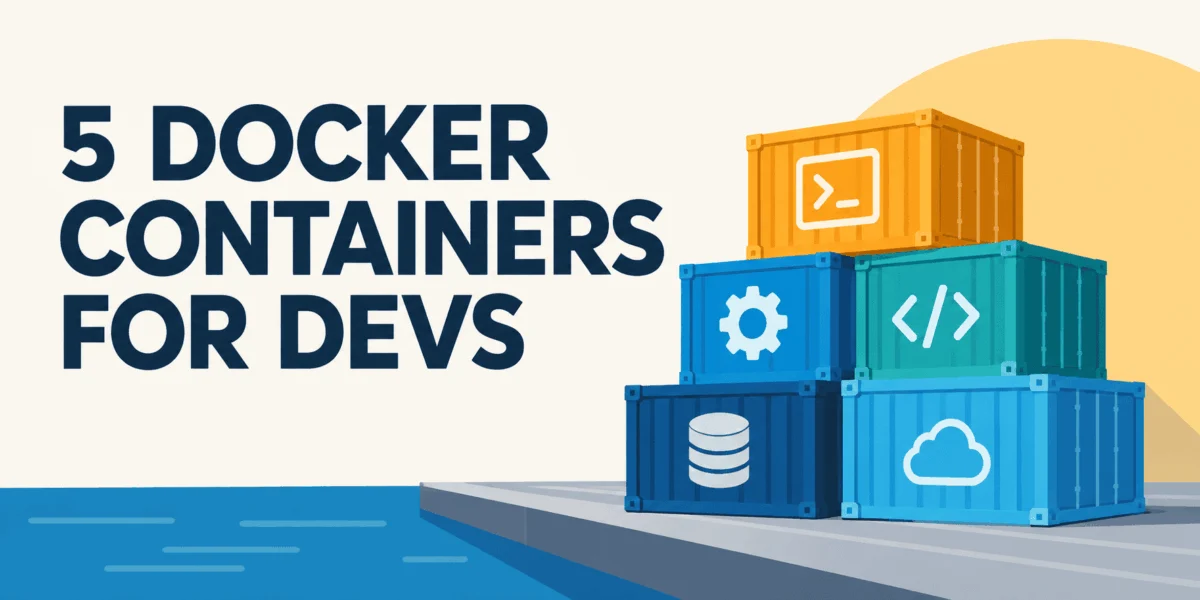
To address this widespread security vulnerability without adding administrative overhead, development teams are increasingly turning to lightweight, self-hosted local services. Rather than relying on complex artificial intelligence infrastructure or heavy enterprise solutions, engineers can deploy five specific, specialized Docker containers on their local machines. These utilitarian services handle recurring diagnostic and transformation tasks entirely offline: inspecting data structures, transforming complex byte chains, converting diverse file formats, testing application programming interfaces (APIs), and rendering architectural diagrams from plain text.
The Security Implications of Public Utility Platforms
The reliance on ad-supported online decoders and format converters introduces significant risk into software development lifecycles. When internal authentication tokens, customer troubleshooting files, or proprietary application logs are pasted into third-party web applications, organizations lose visibility over data retention and regulatory compliance. Industry analysts note that accidental data leakage frequently stems from convenience rather than malicious intent.
Historically, mitigating this risk required organizations to build custom internal tooling or mandate cumbersome local software installations. However, the maturation of containerization technologies has lowered the barrier for running isolated, single-purpose micro-utilities locally. By deploying these tools via Docker, engineering teams maintain operational velocity while ensuring that sensitive data payloads never traverse external networks.
Core Utilities for Local Inspection and Transformation
The first tier of the local utility stack focuses on data inspection and complex byte manipulation.
IT-Tools: The Everyday Development Toolbox
IT-Tools serves as a comprehensive, self-hosted alternative to an expansive browser history filled with single-purpose utility websites. Consolidating functions such as JSON formatting and comparison, JWT decoding, Base64 translation, cryptographic hash generation, UUID creation, regular expression testing, and cron expression validation into a single local web application, the tool operates entirely within a controlled environment.
Deploying the application requires a single command:
docker run -d --name it-tools --restart unless-stopped -p 8080:80 corentinth/it-tools:latestOnce initialized at localhost:8080, developers gain immediate access to these utilities without exposing internal data structures to external servers. System administrators emphasize that while IT-Tools eliminates external data leakage, it functions strictly as a convenience layer rather than a secure secrets manager or formal testing suite.
CyberChef: Advanced Data Transformation Benches
For complex diagnostic scenarios involving multi-layered encodings—such as a log field arriving in hexadecimal format, decoding into a gzip archive, and decompressing into a JSON string containing UTF-16 text—CyberChef provides a dedicated local workbench. Originally developed by the United Kingdom’s Government Communications Headquarters (GCHQ) and made available as an open-source project, CyberChef allows users to construct repeatable "recipes" by chaining individual operations together.
The container image ghcr.io/gchq/cyberchef:latest operates entirely client-side on port 8080. By saving reusable recipes—such as converting from Hex, gunzipping, decoding UTF-16 text, and beautifying JSON—teams can standardize incident response and log analysis workflows. Because the application runs locally, forensic data and incident artifacts remain contained within the local machine, mitigating compliance concerns associated with pasting raw incident data into public domains.
File Conversion and API Testing Infrastructure
The second tier of the local utility stack addresses asset conversion and interface validation.
ConvertX: Comprehensive Format Translation Under Local Control
File conversion presents acute security challenges because uploaded documents and images frequently contain hidden metadata, proprietary schematics, or sensitive user information. ConvertX acts as a unified interface leveraging established open-source command-line tools, including FFmpeg for video processing, ImageMagick for graphics, LibreOffice and Pandoc for documents, Calibre for e-books, and Inkscape for vector graphics. The platform supports over a thousand distinct file formats.
Deployed via Docker Compose using the ghcr.io/c4illin/convertx image, ConvertX mounts local directories to ensure that converted assets—such as converting HEIC screenshots to PNGs or transforming specification documents from DOCX to Markdown—never leave the host machine. The application includes built-in authentication mechanisms and automated cleanup routines that purge temporary files after 24 hours. Security best practices dictate that administrators must claim the initial administrative account immediately upon deployment to prevent unauthorized registration on exposed ports.
Hoppscotch Community Edition: Project-Adjacent API Workspaces
For developers engaged in frequent endpoint testing, Hoppscotch Community Edition offers a self-hosted API development environment comparable to proprietary desktop applications. Providing request management, collections, environment variables, and persistent request histories, the local deployment ensures that API workspaces reside alongside source code repositories rather than within external browser profiles.
Unlike single-container utilities, Hoppscotch CE represents a multi-service architecture requiring a PostgreSQL database backend alongside frontend, backend, and administrative containers. Configuration requires defining a secure environment file containing database connection strings, data encryption keys, and access origins, followed by executing database migrations. While installation requires more preparation than lightweight utilities, maintaining a local API workspace prevents sensitive credentials, internal hostnames, and authorization tokens from leaking into third-party cloud-synced services.
Architecture as Code via Local Rendering
Kroki: Text-Based Diagram Generation
Visualizing system architecture traditionally required running heavy desktop applications or utilizing hosted web renderers that accept architecture source text over public application programming interfaces. Kroki streamlines this process by converting textual diagram descriptions—including PlantUML, Graphviz, D2, and Structurizr—into scalable vector graphics via HTTP POST requests.
Running the core yuzutech/kroki container on port 8000 provides immediate rendering capabilities for numerous text-based diagramming syntaxes. By embedding architecture diagrams as code directly within project documentation repositories, engineering teams ensure that system visualizations evolve synchronously with the underlying codebase without relying on external rendering services.
Strategic Integration and Deployment Best Practices
Integrating these disparate utilities into a cohesive local ecosystem involves leveraging Docker Compose to place services on a shared internal network. By configuring service names as hostnames—such as connecting diagnostic containers to a local Kroki instance via http://kroki:8000—developers eliminate the need for hardcoded IP addresses.
Furthermore, utilizing named volumes ensures data persistence for application databases and file conversion staging areas across container lifecycle events. Enterprise security guidelines recommend pinning specific image version tags rather than relying on latest indicators, regularly terminating inactive containers, and strictly restricting these diagnostic stacks to local or securely authenticated network interfaces. By replacing public web utilities with isolated local containers, organizations can significantly reduce their operational attack surface while preserving developer efficiency.