
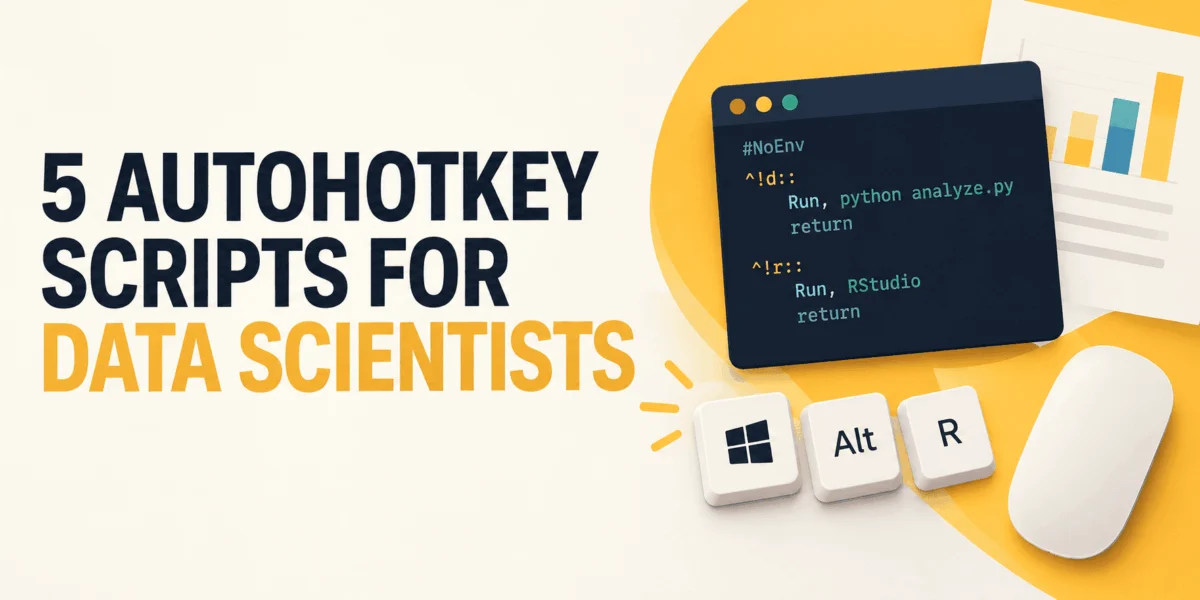
The modern data science workflow on Windows operating systems frequently involves a series of repetitive, manual pre-analysis rituals before any actual computational work begins. Data practitioners often find themselves executing the exact same administrative choreography every day: launching project directories, opening integrated development environments, activating local terminal instances, and arranging browser documentation tabs. Furthermore, raw data ingested from spreadsheets or enterprise tickets routinely requires formatting adjustments—such as converting unformatted columns of customer identification numbers into structured Python lists or SQL clauses—before code execution can successfully take place. File paths copied from the Windows File Explorer must undergo manual string manipulation to remove problematic backslashes that would otherwise trigger syntax errors in programming environments. While none of these localized tasks constitute data analysis or engineering proper, they consume significant cumulative time across mainstream corporate data environments. To mitigate these micro-inefficiencies, lightweight desktop automation utilities like AutoHotkey have emerged as pragmatic tools for software developers and data scientists seeking to streamline their local operating environments without compromising the integrity of core data pipelines.
Background Context and the Evolution of Desktop Automation on Windows
Operating system environments have long featured native and third-party macro systems designed to eliminate keyboard and mouse repetition. On Apple macOS environments, tools such as Hammerspoon and Keyboard Maestro fulfill similar auxiliary roles, while Linux users traditionally leverage utilities like AutoKey or custom shell aliases. Within the Windows ecosystem, AutoHotkey has maintained a prominent position as a free, open-source scripting language explicitly engineered for hotkey-based task automation. Over two decades of development, the utility evolved from a basic keystroke expander into a robust programming language capable of interacting directly with the Windows API, manipulating windows, monitoring clipboard events, and executing external system processes.
The transition from the legacy AutoHotkey version 1 (v1) to the modern version 2 (v2) release represented a critical milestone in the software’s lifecycle. Although the v1 syntax accumulated a vast repository of forum answers and community scripts over the years, it suffered from inconsistent syntax rules and implicit type handling that frequently resulted in unpredictable script behavior. The release of AutoHotkey v2 deprecated legacy paradigms in favor of a strictly defined object-oriented syntax, uniform expression handling, and clearer error messaging. Consequently, modern automation workflows require strict version declarations—such as requiring the explicit inclusion of initialization directives at the top of script files—to prevent silent failures or compatibility anomalies across disparate enterprise workstations.
Demarcating Automation Boundaries: Glue Code Versus Production Pipelines
A foundational principle governing the integration of desktop automation tools into data science is the strict separation of concerns between peripheral workspace preparation and reproducible data engineering. Automated scripts designed to streamline local desktop tasks must operate exclusively as administrative "glue" rather than foundational components of analytical data pipelines. Transformations that directly impact analytical accuracy, data cleaning, or statistical feature engineering rightfully belong inside version-controlled repositories utilizing programming languages such as Python, R, or structured query languages (SQL).
Conversely, utilizing desktop scripting utilities to execute unverified administrative commands within production administrative consoles introduces severe security liabilities. Moreover, local clipboard monitoring scripts inherently capture transient data passing through the system memory, including customer identification tokens, authentication keys, and sensitive query outputs. Enterprise data governance frameworks therefore necessitate rigorous review of what local scripts parse, log, or transmit, ensuring that automation remains strictly localized and compliant with data privacy mandates.
1. Streamlining Workspace Initialization Through Unified Scripting
Initiating a data analysis session typically requires the concurrent loading of multiple independent applications targeting the exact same directory structure. Manually navigating through Windows Explorer to locate project folders, launching code editors, opening command-line interfaces, and starting local Jupyter notebook instances introduces unnecessary friction into the daily operational routine. By deploying a unified hotkey configuration within AutoHotkey v2, practitioners can automate the simultaneous deployment of all necessary workspace components with a single keyboard command.
#Requires AutoHotkey v2.0
#SingleInstance Force

project := "C:workchurn-model"

^!w::                                    ; Ctrl+Alt+W
    Run 'explorer.exe "' project '"'
    Run 'code "' project '"'
    Run 'wt -d "' project '"'             ; Windows Terminal in the project folder
    Run "http://localhost:8888/lab"       ; the notebook server, if it is running
The intrinsic versatility of the native execution function enables the simultaneous spawning of graphical file managers, integrated development environments, command shells, and web-based analytical servers. Consolidating these operational launch vectors into a single variable-driven hotkey reduces human error and accelerates context switching when developers rotate between multiple concurrent client or internal projects. However, industry standards dictate that such configuration files must remain strictly free of hardcoded administrative credentials, database connection strings, or application programming interface (API) tokens. Because local script files are frequently indexed by corporate backup utilities and shared network drives, embedding sensitive authentication data within workspace launchers creates unnecessary security vulnerabilities.
2. Dynamic Clipboard Transformation for Python and SQL Integration
Data practitioners frequently extract unstructured columns of categorical variables, customer identification numbers, or transaction codes from enterprise spreadsheet applications or ticketing portals. To ingest these values into analytical scripts, manual transformation is typically required to format raw strings into programmatic list literals or database query clauses. Relying on external, third-party web formatters to sanitize proprietary data introduces unnecessary data leakage risks and interrupts analytical momentum.
^!l::PasteList("[", ")")                  ; Python list
^!+l::PasteList("(", ")")                 ; SQL IN (...)

PasteList(open, close)
    items := []
    for line in StrSplit(A_Clipboard, "`n", "`r ")
        if line != ""
            items.Push("'" line "'")
    out := open
    for i, item in items
        out .= (i > 1 ? ", " : "") item
    A_Clipboard := out close
    SendText A_Clipboard
By leveraging the native text-handling capabilities of the system clipboard variable, automation scripts can programmatically parse incoming string arrays, strip trailing carriage returns, apply appropriate encapsulation characters, and generate formatted outputs instantaneously. The programmatic utilization of literal text transmission functions ensures that special characters contained within the data stream are not misconstrued as active keyboard modifier commands by the operating system. While these localized clipboard utilities significantly reduce manual formatting overhead during exploratory data analysis, workflows that mature into permanent weekly reporting pipelines should be systematically refactored into formal Python modules or internal package functions under strict version control.
3. Standardizing Analytical Boilerplate via Hotstring Expansion
Exploratory data analysis scripts and statistical modeling notebooks invariably begin with identical foundational code blocks, import statements, and structural checklists. Typing these repetitive structural frameworks manually across dozens of independent analytical projects wastes valuable engineering hours. Hotstring utilities provide an efficient mechanism for expanding designated abbreviation tokens into fully formatted blocks of multi-line source code or descriptive markdown text as the developer types.
:*:;;imp::

    SendText "import pandas as pd`nimport numpy as np`nimport matplotlib.pyplot as plt`n"


:*:;;eda::

    SendText "## EDA checklist`n- shape and dtypes`n- missing values per column`n- target balance`n- duplicates`n"
The incorporation of targeted prefix characters prevents automation triggers from inadvertently firing during standard prose composition within documentation or email communications. Furthermore, utilizing explicit text-transmission parameters guarantees that markdown syntax symbols, logical operators, and programmatic braces are rendered accurately without unintended interpretation by active window input hooks. Nevertheless, automation experts caution against overloading hotstring dictionaries with complex functional logic, emphasizing that these tools are strictly intended for immutable boilerplate text expansion rather than dynamic code generation.
4. Normalizing File Paths for Cross-Platform Compatibility
A persistent operational nuisance within Windows-based data science environments involves copying absolute file system paths via the native context menu. When a directory path containing standard backslashes is pasted directly into a Python string literal, the operating system’s path separators frequently collide with programming language escape character conventions—such as the initiation of Unicode sequences via the U parameter—resulting in immediate syntax failures.
^!p::                                    ; raw string:  r'C:Usersnddataraw.csv'
    A_Clipboard := "r'" Trim(A_Clipboard, '"') "'"
    SendText A_Clipboard


^!+p::                                   ; forward slashes:  C:/Users/nd/data/raw.csv
    A_Clipboard := StrReplace(Trim(A_Clipboard, '"'), "", "/")
    SendText A_Clipboard
Dedicated script logic can intercept clipboard contents upon path copying, automatically stripping surrounding quotation marks and reformatting the string enclosure into either raw string literals or Unix-compatible forward slashes. This localized normalization layer ensures seamless path integration across diverse operating systems and software libraries—such as Python’s native pathlib module—without requiring manual string editing by the developer.
5. Automated Window Management and Multi-Monitor Layout Orchestration
Complex data debugging and model validation sessions demand consistent visual layouts: analytical notebooks positioned on primary displays, real-time logging terminals arrayed below, and documentation references tiled across secondary monitors. Manually resizing and repositioning multiple application windows across high-resolution displays every morning introduces subtle cognitive fatigue. Automated window placement scripts restore designated desktop architectures instantaneously.
^!1::
    Place("ahk_exe WindowsTerminal.exe", 0, 720, 1280, 720)
    Place("JupyterLab", 0, 0, 1280, 720)
    Place("ahk_exe Code.exe", 1280, 0, 1280, 1440)


Place(title, x, y, w, h)
    if WinExist(title)
        WinActivate
        WinMove x, y, w, h
Utilizing pixel-precise coordinate mapping and automated window activation commands, practitioners can enforce strict visual consistency across complex multi-monitor workstations. However, technical evaluations of window management scripts highlight potential rendering discrepancies on modern display setups featuring mixed Dots Per Inch (DPI) scaling configurations or auxiliary monitors positioned with negative Cartesian coordinates. Additionally, system security boundaries dictate that scripts lacking administrative privilege elevations cannot successfully manipulate windows owned by elevated system processes.
Broader Impact and Strategic Implications for Technical Teams
The integration of lightweight desktop automation utilities into the daily routines of data science practitioners highlights a broader industry shift toward maximizing cognitive efficiency by eliminating micro-frictional tasks. While enterprise data governance frameworks rightfully mandate strict separation between local shell scripts and core data pipelines, the prudent application of desktop glue code delivers measurable productivity gains. By automating workspace initialization, clipboard transformations, boilerplate text expansion, path normalization, and window layout management, organizations empower analytical personnel to focus their intellectual capital on core statistical modeling, architectural design, and rigorous data-driven decision-making.