

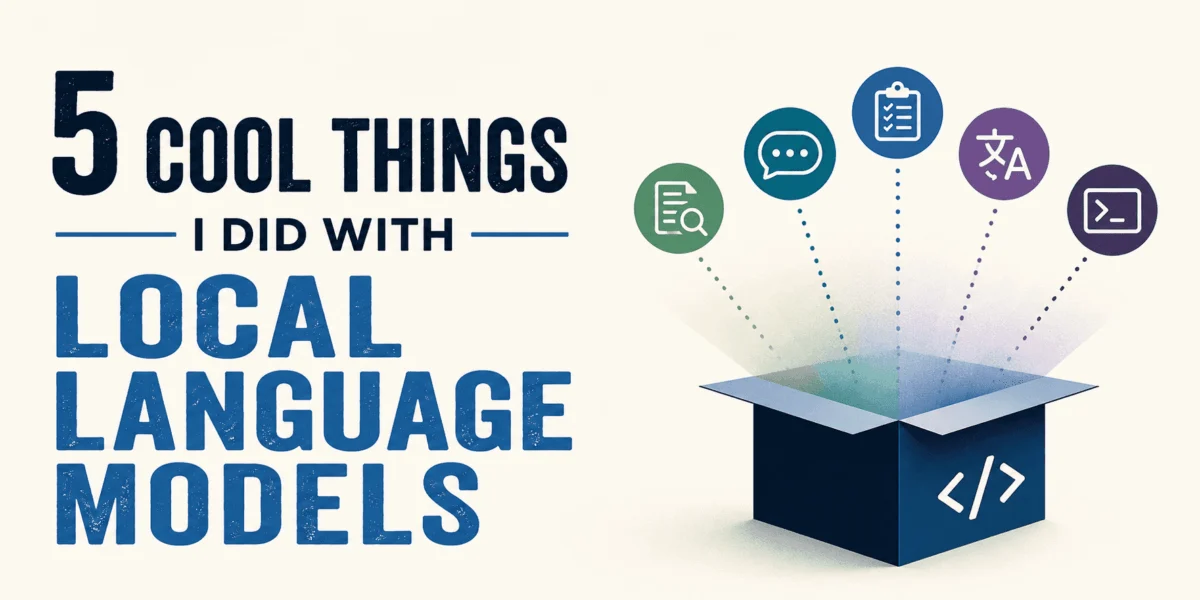
The proliferation of large language models (LLMs) has marked a pivotal moment in artificial intelligence, yet the default reliance on cloud-based services often presents inherent trade-offs concerning data privacy, operational costs, and continuous accessibility. A significant paradigm shift is now underway, driven by the increasing capability and accessibility of local language models. This evolution allows sophisticated AI capabilities to run directly on personal machines, circumventing the need for external API keys, billing dashboards, or the transfer of sensitive data to third-party servers. The ability to execute a multi-billion-parameter model, such as Llama 3.2, on a personal computer fundamentally alters the perception of AI ownership and control, offering a fast, capable, and entirely private conversational experience that is indifferent to internet connectivity or external monitoring.
For a growing segment of users and developers, local model deployment has transcended being a mere compromise, emerging as a superior choice for specific applications. The following five projects exemplify practical scenarios where local language models provide distinct advantages that are either impractical or impossible to achieve with cloud-based alternatives, often accompanied by working code snippets to illustrate their implementation. The term "local" in this context refers to models operating directly on the user’s machine, typically facilitated by tools like Ollama, which simplifies the download and execution of open-source models to the level of installing standard software. Most of these applications are viable on machines with at least 8 GB of RAM for smaller models, with 16 GB providing a more comfortable experience. Apple Silicon Macs (M1 and later generations) are particularly adept at handling these workloads due to their unified memory architecture, while dedicated NVIDIA GPUs can significantly accelerate processing, though they are not a prerequisite for initial setup.
Enhancing Data Privacy and Security: The Private Document Brain
One of the most compelling arguments for local LLMs lies in their capacity to manage sensitive information securely. Professionals across various sectors frequently accumulate vast quantities of documents—ranging from proprietary research papers and legal contracts to confidential project notes—that are theoretically valuable but practically unsearchable in a meaningful way. The conventional approach of leveraging AI for querying these documents would involve uploading them to a cloud service, thereby exposing them to third-party servers, infrastructure, and retention policies. This data transfer poses significant risks for sensitive materials such as legal documents, medical records, internal business files, or personal journals, making the privacy trade-off difficult to justify for many organizations and individuals.
To address this critical security concern, a robust solution involves deploying an open-source application like AnythingLLM locally, integrated with models such as Llama 3.2 via Ollama. AnythingLLM is specifically designed to manage the entire retrieval-augmented generation (RAG) pipeline—encompassing document ingestion, chunking, embedding, vector storage, and retrieval—without any external cloud dependencies. With over 54,000 GitHub stars, its popularity underscores the demand for self-hosted AI solutions. Users can simply drag and drop documents into the application, which then processes them entirely on the local machine, enabling secure and private querying.
Setting up AnythingLLM is streamlined through Docker, requiring a single command:
# Pull and run AnythingLLM via Docker
# Everything stays on your machine -- no data leaves
docker run -d
  --name anythingllm
  -p 3001:3001
  -v anythingllm_storage:/app/server/storage
  mintplexlabs/anythingllm

# Then open http://localhost:3001 in your browser
# Connect it to Ollama (already running at localhost:11434)
# and pull the model you want to use for document chat
ollama pull llama3.2:3b
Once configured, users can upload entire folders of research papers, contracts, or notes and pose complex questions that necessitate synthesizing information across multiple documents. For instance, a prompt asking, "What are the key differences in how the 2023 and 2025 papers approach retrieval augmentation? Do they agree on chunking strategy or is there disagreement?" would prompt the model to extract relevant sections, cite sources, and identify methodological disparities that might otherwise go unnoticed. Crucially, every byte of these documents remains on the user’s machine, ensuring absolute confidentiality.
For this application, Llama 3.2 3B offers a balance of speed and efficiency on lighter hardware, while Mistral 7B provides stronger synthesis capabilities for longer documents, particularly if 8 GB of VRAM is available. On machines with 16 GB of RAM, the enhanced precision of Mistral for document Q&A is notably superior. This local RAG implementation represents a genuine advantage over cloud alternatives; the AI comes to the document, rather than the document going to the AI. The reasoning, synthesis, and multi-source question-answering capabilities characteristic of cloud AI are retained, while the discomforts associated with data transfer, server-side logging, and third-party dependencies for sensitive information are entirely eliminated.
Proprietary Code Review: A Secure Development Workflow
Software development often involves moments of "code review anxiety," where developers seek honest feedback on code that functions but might be suboptimal, overly clever, or prone to edge cases. While cloud-based AI tools like ChatGPT or Claude offer code review capabilities, pasting proprietary production code into these services means transmitting a company’s intellectual property (IP) to external servers. This practice raises significant concerns regarding non-disclosure agreements (NDAs), especially for algorithms, internal business logic, or code handling customer data.
A secure alternative involves deploying a specialized code-focused LLM locally. The Qwen2.5-Coder 7B model, specifically trained on code, consistently outperforms general-purpose models of comparable size on coding benchmarks. Running comfortably on 8 GB of VRAM, this model can be set up via Ollama to provide invaluable, private code reviews. Developers can feed it real functions from live projects and request feedback on specific aspects such as security vulnerabilities, unhandled edge cases, unnecessary complexity, and unsound assumptions.
The setup for Qwen2.5-Coder 7B is straightforward:
# Pull the model
ollama pull qwen2.5-coder:7b

# Run an interactive session
ollama run qwen2.5-coder:7b
A carefully crafted system prompt guides the model to act as a rigorous senior software engineer:
You are a senior software engineer doing a code review.
Your job is to find problems, not to be encouraging.
Review for:
1. Security vulnerabilities (injection, auth issues, data exposure)
2. Edge cases that are not handled
3. Anywhere the code is more complex than it needs to be
4. Any assumptions that will break under real conditions

Be direct. Do not summarize what the code does.
Start immediately with what you found.
When presented with a function like def get_user_data(user_id): query = f"SELECT * FROM users WHERE id = user_id" result = db.execute(query) return result.fetchone(), the model can immediately identify critical issues. For example, it would flag the SQL injection vulnerability, highlight the SELECT * as a data exposure risk, and point out the silent None return for non-existent users, which could lead to downstream errors. Such insights are invaluable for pre-emptive bug fixing and code improvement, all while keeping proprietary code entirely off third-party servers.
For developers seeking tighter integration within their development environment, the Continue plugin for VS Code and JetBrains can connect directly to a local Ollama instance:
// .continue/config.json -- add this to point Continue at your local model

  "models": [

      "title": "Qwen2.5-Coder Local",
      "provider": "ollama",
      "model": "qwen2.5-coder:7b",
      "apiBase": "http://localhost:11434"

  ]
This configuration enables inline code completions and a chat sidebar, all powered by the local model, ensuring privacy and eliminating subscription costs. This capability transforms the code review process into a secure, integrated, and highly efficient part of the development lifecycle, safeguarding intellectual property.
Uninterrupted Productivity: The Offline AI Assistant
The concept of an AI assistant that operates completely offline might appear deceptively simple, yet its practical implications are profound for personal productivity and accessibility. Modern professional life often involves situations with unreliable or non-existent internet connectivity—long flights, remote work locations, or simply a desire to avoid public network vulnerabilities. In these scenarios, the intermittent nature of cloud-dependent AI tools can severely hamper deep work and sustained creative thinking.
A truly offline AI assistant liberates users from these constraints. Before boarding a flight, for instance, a user can pull a model like Mistral 7B using Ollama:
# Download before you fly -- this is a 4.1 GB file at Q4 quantization
ollama pull mistral:7b

# Verify it is cached locally
ollama list
# Should show mistral:7b with size and last modified date
Once downloaded, Ollama manages the model entirely from local files. With the laptop in airplane mode, a simple command like ollama run mistral:7b in the terminal loads the model within seconds (e.g., approximately 8 seconds on an M2 MacBook Pro) and enables immediate interaction. The model operates independently of any network connection, making it an ideal companion for tasks requiring sustained focus, such as drafting documents, brainstorming complex ideas, or refining arguments.
While the speed of local models varies with hardware—Mistral 7B (Q4_K_M quantization) on an M2 MacBook Pro with 16 GB unified memory typically achieves 25–35 tokens per second, sufficient for a fluid conversational experience—older hardware or systems without GPU offloading may experience slower speeds, rendering interactions more akin to reading than real-time chatting. However, even at reduced speeds, the model remains perfectly usable for drafting and structured thinking. The critical advantage here is unwavering availability, particularly for tasks that do not demand real-time external information (e.g., current news, live prices, recent research). This offline capability ensures that periods of travel or disconnection can be transformed into highly productive work sessions, redefining how and where AI can support intellectual endeavors.
Personalized Intelligence: Crafting a Context-Aware Thinking Partner
A common frustration with cloud-based AI assistants is their inherent statelessness. Each new chat session with services like Claude or ChatGPT begins as a blank slate, requiring the user to re-establish personal context—details about their work, ongoing projects, previous attempts, and preferred communication styles. This repetitive preamble consumes valuable time and dilutes the efficiency of substantive AI interaction.
Local models offer an elegant solution through "Modelfiles," a powerful feature in Ollama that allows users to bake a persistent system prompt directly into a named model. This configuration ensures that every session with that specific model starts with a pre-defined, comprehensive context, eliminating the need for constant re-explanation.
Consider a Modelfile crafted for a technical writer and developer:
# Save this as Modelfile (no extension) in any directory
# Then run: ollama create myassistant -f Modelfile

FROM llama3.2:3b

# This SYSTEM block is injected at the start of every conversation
SYSTEM """
You are my personal thinking partner. Here is the context you always have:

ABOUT ME:
I am a technical writer and developer working primarily on AI tooling and
developer education. I think best by writing and talking through problems
out loud before committing to a direction.

CURRENT PROJECTS:
- A series of technical articles on agentic AI and LLM tooling
- A Python library for structured prompt management
- Researching retrieval-augmented generation for personal knowledge bases

HOW I WORK BEST:
- Push back on my assumptions. I prefer disagreement to agreement.
- Ask one clarifying question if my prompt is ambiguous before answering.
- When I am explaining a decision, challenge whether my reasoning is sound.
- Do not summarize what I said back to me. Start with your actual response.

WHAT YOU SHOULD KNOW:
- I have been working in software for 8 years. Do not over-explain fundamentals.
- When I ask for help writing, I want structure and directness, not fluff.
- I am allergic to bullet points that could have been prose.
"""

# Set reasonable generation parameters
PARAMETER temperature 0.7
PARAMETER top_p 0.9
PARAMETER PARAMETER num_ctx 4096
To activate this personalized model:
# Create the model from your Modelfile
ollama create myassistant -f Modelfile

# Verify it was created
ollama list

# Run it -- every session starts with your full context
ollama run myassistant
The impact of this personalization is immediately evident in the quality and relevance of AI responses. When asked, "Should I restructure this article to lead with the code examples?", a context-free model might offer a generic, "it depends" answer. In contrast, the personalized model, armed with knowledge of the user’s role, projects, and preferred working style, would provide a far more incisive and actionable response: "What’s the current structure? Leading with code only works if the code is self-explanatory enough that a reader can follow without background. Given that you said you’re writing for developers who are learning the tooling, not seasoned practitioners, I’d push back on leading with code. Give me the first section, and I’ll tell you if it stands on its own."
This second response bypasses generic advice, directly engaging with the user’s specific context and preferences. The AI doesn’t just know to avoid bullet points because it was trained on vast data; it knows because the user explicitly specified it once in the Modelfile, and it consistently remembers. Modelfiles can be updated as projects or preferences evolve by simply re-running ollama create myassistant -f Modelfile, ensuring the AI assistant remains perpetually aligned with the user’s current needs. This capability transforms the AI from a general tool into a truly integrated, intelligent partner.
Empowering Autonomous Systems: Local AI Agents with Tool Use
While the previous applications showcase local models as highly capable text generators, the development of local AI agents represents a significant leap towards autonomous systems. These agents function as decision-making engines, planning actions, executing tools, observing results, and iteratively refining their approach to deliver a final output—all without any external API calls to cloud AI services. This capability democratizes the development of agentic AI, making sophisticated automation accessible and private.
To facilitate this, Ollama’s API offers OpenAI compatibility, allowing seamless integration into existing frameworks by simply re-pointing the API client. The first step is to ensure Ollama is serving the model:
ollama serve             # starts the Ollama API server
ollama pull llama3.2:3b  # pulls the instruct model if not already cached
A minimal Python agent can then be constructed to run Llama 3.2 Instruct via Ollama, equipped with essential tools such as a web search (e.g., DuckDuckGo) and a file writer. This agent operates on a ReAct loop (Reason, Act, Observe, Reason again) until the task is completed, incurring zero external cost.
The core of this local agent lies in pointing the OpenAI client to the local Ollama instance:
# local_agent.py
# Install: pip install openai duckduckgo-search
# Requires: Ollama running locally at http://localhost:11434

from openai import OpenAI
import json
from duckduckgo_search import DDGS

# Point the OpenAI client at your local Ollama instance
# This is the one-line swap that makes any OpenAI-compatible tool work locally
client = OpenAI(
    base_url="http://localhost:11434/v1",
    api_key="ollama"  # Ollama does not require a real key -- this can be any string
)

MODEL = "llama3.2:3b"  # Change this to any model you have pulled via Ollama

# Define the tools the agent can call
tools = [

        "type": "function",
        "function":
            "name": "web_search",
            "description": (
                "Search the web for current information on a topic. "
                "Use when you need facts or data that may have changed recently. "
                "Do NOT use for information already in the conversation."
            ),
            "parameters":
                "type": "object",
                "properties":
                    "query":
                        "type": "string",
                        "description": "Specific search query, 3-8 words."

                ,
                "required": ["query"]


    ,

        "type": "function",
        "function":
            "name": "write_file",
            "description": "Save text content to a local file. Use when the task is complete.",
            "parameters":
                "type": "object",
                "properties":
                    "filename":
                        "type": "string",
                        "description": "The output filename, e.g. 'summary.md'"
                    ,
                    "content":
                        "type": "string",
                        "description": "The full text content to write."

                ,
                "required": ["filename", "content"]


]

def web_search(query: str) -> str:
    """Run a real web search using DuckDuckGo -- no API key required."""
    with DDGS() as ddgs:
        results = list(ddgs.text(query, max_results=4))
    if not results:
        return "No results found."
    # Format results cleanly for the model to read
    return "nn".join(
        f" r['title']nURL: r['href']nSnippet: r['body']"
        for r in results
    )

def write_file(filename: str, content: str) -> str:
    """Write content to a file in the current directory."""
    with open(filename, "w") as f:
        f.write(content)
    return f"File 'filename' written successfully (len(content) characters)."

def run_tool(name: str, arguments: dict) -> str:
    """Route tool calls to the correct function."""
    if name == "web_search":
        return web_search(arguments["query"])
    elif name == "write_file":
        return write_file(arguments["filename"], arguments["content"])
    return f"Unknown tool: name"

def run_agent(goal: str, max_turns: int = 10) -> None:
    """
    The agent loop:
    1. Send the goal and current conversation to the local model
    2. If the model calls a tool, execute it and add the result to the conversation
    3. If the model is done, print the final message and exit
    4. Repeat until done or max_turns reached
    """
    system = """You are a research agent. When given a goal:
1. Use web_search to find accurate, current information -- search multiple times for different aspects
2. When you have enough information, use write_file to save a structured summary
3. The file should include: key findings, why they matter, and sources

Think carefully before each action. When the file is written, your task is complete."""

    messages = ["role": "user", "content": goal]

    for turn in range(max_turns):
        print(f"n--- Turn turn + 1 ---")

        # Send conversation to the local model
        response = client.chat.completions.create(
            model=MODEL,
            messages=["role": "system", "content": system] + messages,
            tools=tools,
            tool_choice="auto"
        )

        choice = response.choices[0]
        message = choice.message

        # Model is done -- print and exit
        if choice.finish_reason == "stop":
            print(f"nAgent finished: message.content")
            return

        # Model called one or more tools -- execute each one
        if choice.finish_reason == "tool_calls" and message.tool_calls:
            # Add the model's message (with tool calls) to conversation history
            messages.append(
                "role": "assistant",
                "content": message.content,
                "tool_calls": [

                        "id": tc.id,
                        "type": "function",
                        "function":
                            "name": tc.function.name,
                            "arguments": tc.function.arguments


                    for tc in message.tool_calls
                ]
            )

            # Execute each tool call and add results to conversation
            for tool_call in message.tool_calls:
                name = tool_call.function.name
                args = json.loads(tool_call.function.arguments)

                print(f"Tool: name(args)")
                result = run_tool(name, args)
                print(f"Result preview: result[:120]...")

                # Tool results must reference the tool_call_id they are responding to
                messages.append(
                    "role": "tool",
                    "tool_call_id": tool_call.id,
                    "content": result
                )

    print("Max turns reached.")

if __name__ == "__main__":
    goal = (
        "Find the three most actively discussed open-source RAG frameworks "
        "in 2026 and write a summary to rag-summary.md explaining what each "
        "one does and who it is best for."
    )
    print(f"Goal: goaln")
    run_agent(goal)
This script demonstrates that the entire difference between a cloud agent and a local one is a single line of code re-pointing the API client. The agent executes a full ReAct loop, reasoning, acting through tools, observing outcomes, and iterating until a final output file is generated. Every operation remains confined to the user’s machine, ensuring privacy and cost-efficiency.
It is important to acknowledge that local models, typically in the 3–7B parameter range, are generally slower and less precise at multi-step reasoning than frontier cloud models. While Llama 3.2 can handle focused, clear goals well, more complex agentic tasks might benefit from models like Qwen3.5-4B or Mistral 7B Instruct, which exhibit more reliable tool-calling behavior. The key is to keep tasks focused and the toolset manageable, a principle that applies to cloud agents but is amplified for local deployments. This advancement signifies a critical step towards democratizing sophisticated AI automation, making agentic capabilities accessible to a wider range of developers and businesses while upholding privacy and control.
The Broader Implications: A New Era for AI Accessibility and Control
The five distinct applications detailed above collectively underscore a fundamental truth: local AI models are not merely a less powerful alternative to cloud-based solutions but rather offer genuine, often superior, advantages in specific contexts. While frontier cloud models like Claude Opus or GPT-5 may surpass local models in raw benchmark performance, the utility of AI extends beyond theoretical metrics to practical use cases that prioritize factors like data sovereignty, operational autonomy, and cost efficiency.
The private document brain excels locally precisely because the documents are sensitive and proprietary, necessitating on-device processing. The code reviewer becomes indispensable in a local environment where intellectual property cannot be transmitted to external servers without violating NDAs. The offline assistant’s very existence is predicated on the absence of cloud connectivity, enabling uninterrupted productivity during travel or in remote areas. The personalized model offers a deeply tailored and efficient interaction by perpetually retaining user context, a feature fundamentally incompatible with the stateless design of many cloud AI sessions. Finally, the local AI agent operates at no external cost, as there are no API meters ticking, offering an economically viable pathway to advanced automation.
These are not compromises; they represent compelling advantages that redefine the landscape of AI interaction and deployment. The ease of setup, often requiring just a single command to install tools like Ollama, coupled with the open-source nature and cost-free availability of models, significantly lowers the barrier to entry for advanced AI capabilities. As hardware continues to evolve, particularly with advancements in unified memory architectures and increasingly efficient model quantization techniques, the performance gap between local and cloud models for many practical applications will continue to narrow.
The shift towards local language models signals a new era for AI accessibility and control. It empowers individuals and organizations to harness the transformative power of AI without ceding control over their data, incurring unpredictable costs, or being tethered to constant internet access. This movement democratizes advanced AI, fostering innovation and enabling a more secure, private, and autonomous future for artificial intelligence applications. The ceiling for what can be achieved with self-hosted AI is proving to be far higher than initially anticipated, promising a future where powerful AI tools are truly owned and operated by their users.









Leave a Reply