
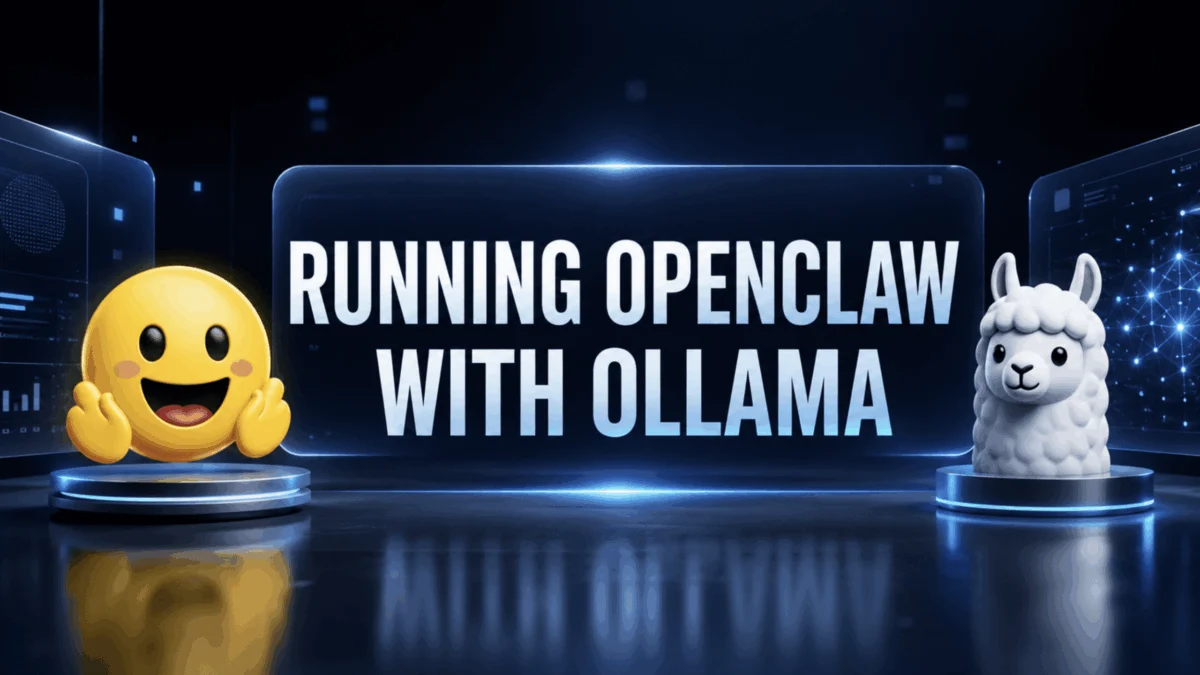
The landscape of artificial intelligence is rapidly evolving, with a new paradigm emerging where advanced AI capabilities are moving from remote cloud servers to personal hardware. At the forefront of this shift is OpenClaw, an innovative personal AI assistant designed to bridge the power of local Large Language Models (LLMs), specifically those managed by Ollama, directly into the messaging applications users rely on daily. This integration marks a significant leap from transient terminal-based AI interactions to persistent, privacy-preserving, and deeply integrated AI assistance across platforms like WhatsApp, Telegram, Slack, Discord, and iMessage.
The Vision Behind OpenClaw: Persistent, Private AI
The initial experience of many users with local LLMs involves setting up Ollama, pulling a model, and running queries in a terminal. While impressive for its speed and the absence of cloud dependency or API keys, this interaction often ends when the terminal window closes. The AI, though powerful, remains confined and ephemeral. OpenClaw was conceived to address this critical gap, transforming a transient technical demo into a continuous, always-on personal assistant.
Created by Peter Steinberger, a distinguished macOS developer renowned for his contributions to Apple tooling, OpenClaw (originally released as Clawdbot in late 2025) quickly garnered immense attention within the open-source community. Within weeks of its initial release, the project amassed over 60,000 stars on GitHub, a testament to its compelling value proposition and the growing demand for user-controlled AI solutions. The project underwent a rebranding in early 2026, transitioning from Clawdbot and a brief period as Moltbot to its current name, OpenClaw, though backward compatibility for old commands ensures a smooth transition for existing users. With the release of Ollama 0.17 and subsequent versions, the entire setup process has been dramatically simplified, collapsing into a single, streamlined command.
This development signifies more than just technical convenience; it represents a philosophical stance on AI. OpenClaw champions the idea of AI that operates on the user’s terms, ensuring data privacy and reducing reliance on third-party cloud services. For individuals and organizations increasingly concerned about data sovereignty, OpenClaw offers a compelling alternative by allowing sensitive queries and personal data to remain entirely within their controlled hardware environment when using local models.
Architectural Foundation: The Gateway Daemon
Understanding OpenClaw’s operational framework is crucial for appreciating its capabilities and configuration choices. At its core, OpenClaw operates through a single, persistent daemon known as the Gateway. This daemon runs continuously in the background, maintaining open connections to various messaging platforms and orchestrating the AI agent’s interactions.
When a user sends a message from a connected application—be it WhatsApp, Telegram, Slack, Discord, or iMessage—the text first travels through the respective messaging platform’s protocol (e.g., Baileys for WhatsApp, Telegram Bot API for Telegram). It then reaches the OpenClaw Gateway, which intelligently routes the query to the chosen LLM via Ollama’s local API. The LLM processes the request, and its response is then channeled back through the Gateway and the original messaging platform, appearing as a seamless reply within the user’s chat interface. This entire process occurs without any visible activity on the user’s primary device, embodying a truly integrated and unobtrusive AI experience.
This three-layer design—messaging app, Gateway, and local LLM—is fundamental to OpenClaw’s distinction from conventional chatbot interfaces. It enables multi-platform connectivity, persistent operation, and the ability to manage complex, multi-step agentic tasks, setting it apart from simple terminal-based interactions. The system’s robustness is further enhanced by its modularity, allowing developers to extend its capabilities and integrate new tools or platforms as the ecosystem evolves.
System Requirements and Model Selection for Optimal Performance
The effectiveness of OpenClaw, particularly for complex agentic tasks, is heavily influenced by hardware specifications and model selection. A critical consideration is the context window length, which dictates how much information the LLM can process and retain over a conversation or multi-step task. The official documentation recommends a minimum of 64,000 tokens for agentic workloads.
Ollama, the underlying LLM runtime, dynamically sets context lengths based on available VRAM: systems with less than 24 GB typically default to 4,000 tokens, 24-48 GB yield 32,000 tokens, and 48 GB or more can reach 256,000 tokens. For the majority of consumer hardware, the default 4,000 tokens is insufficient for multi-step tasks that involve web searches, page parsing, information extraction, and summarization, as context accumulates rapidly. Consequently, users must explicitly configure a higher context length, a step often overlooked in initial setups.
Hardware and Software Prerequisites:
- Operating System: macOS 12+ (macOS 14+ recommended), Linux, or Windows (via WSL).
- RAM: Minimum 16 GB, with 32 GB or more recommended for smoother operation.
- GPU VRAM (Local Models): At least 25 GB for models like
qwen3-coderorglm-4.7-flashto achieve the 64k context window. 48 GB+ is recommended for larger contexts and more demanding tasks. - GPU VRAM (Cloud Models): None, as processing occurs on Ollama’s cloud infrastructure.
- Disk Space: 5 GB for OpenClaw and its dependencies, expanding to 30 GB+ if local models are pulled.
- Software: Docker (for headless deployment), Node.js (version 18+), and the Ollama runtime.
Model Recommendations:
For users prioritizing ease of use and maximum context length without significant local hardware investment, cloud models are often the preferred starting point. kimi-k2.5:cloud is particularly recommended for its free-tier accessibility, strong agentic capabilities, and absence of VRAM requirements. Other capable cloud models include qwen3.5:cloud (reasoning, coding, vision), minimax-m2.7:cloud (fast productivity), and glm-5.1:cloud (reasoning, code generation).
For those prioritizing absolute privacy and local control, models like qwen3-coder (~25 GB VRAM) for coding tasks and gemma4 (~16 GB VRAM) for local reasoning offer robust performance, provided the necessary VRAM is available. Cloud models automatically benefit from their maximum context lengths and often include web search out-of-the-box, simplifying setup.
Streamlined Deployment: The ollama launch Command
A hallmark of OpenClaw’s evolution, particularly with Ollama 0.17 and newer, is the simplification of its installation and configuration. Users are no longer required to manually install OpenClaw, configure a separate Gateway, or manage npm packages independently. Ollama now orchestrates the entire bootstrap sequence.
A simple terminal command initiates the process: ollama launch openclaw. To directly specify a model and bypass the interactive selector, users can run: ollama launch openclaw --model kimi-k2.5:cloud. This command automates a series of critical steps:
- Ollama Installation Check: Ensures the Ollama runtime is present.
- OpenClaw Installation: Installs the OpenClaw package.
- Gateway Configuration: Sets up the core Gateway daemon.
- Model Pull: Downloads the specified LLM from the Ollama library.
- Gateway Start: Initiates the OpenClaw Gateway.
For users who only need to adjust existing settings without launching the full agent, the command ollama launch openclaw --config provides an interactive configuration interface. If the Gateway is already active, it will automatically restart to apply the new settings, eliminating manual intervention.
Configuring Context Length for Agent Workloads
One of the most critical, yet frequently overlooked, steps for optimal OpenClaw performance is correctly configuring the context length for local models. While cloud models inherently leverage their maximum context, local models require explicit configuration to perform multi-step agentic tasks effectively. An agent performing complex research—involving web searches, page reads, information extraction, summarization, and response generation—rapidly consumes context tokens. A 64k context window is considered a minimum, but for longer conversations or tasks with numerous tool invocations, significantly more headroom is beneficial (e.g., 131,072 tokens or higher on systems with sufficient VRAM).
Context length can be set either via an environment variable (OLLAMA_CONTEXT_LENGTH=64000 ollama serve before starting Ollama) or through the Ollama application’s settings. It is paramount to verify that the desired context length has been applied and that the model is fully utilizing the GPU. Output from ollama ps should show 100% GPU under the PROCESSOR column and the configured CONTEXT length (e.g., 65536 or higher). Any indication of CPU offloading (40% GPU / 60% CPU) or a default context of 4096 suggests an issue that needs rectification, as it will severely degrade performance. If fitting 64k tokens into VRAM proves challenging, opting for a cloud model is often a more practical solution than compromising on context, as the agent’s ability to reason over extended interactions is paramount.
Connecting Messaging Channels: Setting Up Telegram

Once the OpenClaw Gateway is operational, the next step involves connecting it to the desired messaging platform. This is achieved via openclaw configure --section channels, which presents an interactive menu for WhatsApp, Telegram, Slack, Discord, and iMessage. For developers and those seeking a straightforward setup, Telegram is highly recommended due to its use of a dedicated bot token rather than requiring a phone number or emulating a personal account.
The Telegram setup process is simple:
- Bot Creation: Users interact with
@BotFatheron Telegram, sending/newbotto create a new bot, defining its display name and a unique username (ending in_bot). BotFather then provides a unique API token, which must be copied immediately as it won’t be displayed again. - Token Integration: In the OpenClaw configurator, selecting Telegram prompts for this bot token.
- Configuration Save: Crucially, selecting "Finished" in the configurator saves the settings; exiting prematurely will discard changes.
- Bot Activation: Finally, searching for the bot’s username on Telegram and sending
/startinitiates the first connection, after which the bot becomes responsive.
For other platforms, the process varies: WhatsApp leverages the Baileys protocol, requiring a QR code scan to link a personal WhatsApp account (a point of consideration for privacy-conscious users). Slack and Discord necessitate creating an application in their respective developer portals to obtain bot tokens and channel IDs, with the OpenClaw configurator guiding users through the required fields.
The Real-World Project: A Private Research Assistant
The culmination of this setup is a powerful, private research assistant accessible directly from a user’s Telegram (or other chosen messaging app). This bot is capable of:
- Responding to queries in natural language.
- Performing web searches for up-to-date information.
- Reading and summarizing web pages.
- Synthesizing information into concise answers.
With the Telegram channel connected and the Gateway running, these capabilities are immediately functional, as OpenClaw natively handles the agent loop. The quality and depth of interaction are primarily shaped by the initial configuration choices, especially regarding context length and model selection.
Enabling Web Search:
For cloud models, web search functionality is often automatically enabled, leveraging Ollama’s integrated web search plugin. Users can verify this by asking a question requiring current information, such as "What did Anthropic announce this week?" A correctly configured bot will conduct a search and provide a cited answer, while one without web search will rely solely on its training data.
For local models, enabling web search requires ollama signin to authenticate with Ollama’s services, followed by openclaw configure --section web. This activates Ollama’s bundled web_search provider, routing searches through Ollama’s web search API using the user’s account credentials.
Demonstrating Multi-Step Tasks:
Consider the query: "Find the three most-cited papers on transformer attention published in 2025 and give me a one-sentence summary of each." When sent to the Telegram bot, the OpenClaw TUI (Terminal User Interface) on the host machine will display a detailed log of the agent’s actions:
[tool] web_search: "most cited transformer attention papers 2025"
[tool] web_fetch: https://arxiv.org/...
[tool] web_fetch: https://paperswithcode.com/...
[reasoning] Identified three papers: ...
[response] Sending to Telegram...
This real-time trace illustrates the agent’s reasoning and tool use, culminating in a formatted message delivered to Telegram, typically within 20-40 seconds, depending on the model and network speed. This ability to delegate complex, multi-step research tasks from a mobile device and receive a synthesized answer highlights the transformative utility of OpenClaw.
Programmatic Interaction: The Python Script Approach
For developers looking to integrate OpenClaw’s capabilities into custom workflows, Ollama’s web search API can be called directly from Python, using the same credentials OpenClaw utilizes. A minimal Python script can function as a research agent, demonstrating how to leverage ollama.chat, web_search, and web_fetch to answer questions requiring up-to-date information. This approach is ideal for tasks like scheduling daily research summaries or piping results into a database.
A key practical detail in such scripts is truncating tool results (e.g., web page content) to stay within the LLM’s context budget. Aggressive truncation, such as limiting results to 8,000 characters, ensures that a single long web page does not exhaust the context window, preserving room for subsequent tool calls and the final synthesis.
Non-Interactive and Headless Deployment for Production
For production environments, 24/7 operation, or Docker deployments, the interactive TUI can be bypassed entirely using the --yes flag: ollama launch openclaw --model kimi-k2.5:cloud --yes. This flag automates model pulling, skips all interactive prompts, and immediately starts the Gateway. It mandates explicit model specification, as it cannot infer a model without user interaction.
A Dockerfile can be crafted to deploy OpenClaw as a headless agent service. This Docker setup includes system dependencies (Node.js 18+), Ollama installation, global OpenClaw installation via npm, and the setting of OLLAMA_CONTEXT_LENGTH. A start.sh script orchestrates the launch, ensuring Ollama is running before OpenClaw is initiated headlessly. This allows for scalable and consistent deployments, especially on machines with GPU passthrough for local models.
Troubleshooting and Maintenance
Properly stopping the OpenClaw Gateway is crucial. While Ctrl+C in the TUI might stop the interactive session, the underlying daemon could remain active. The command openclaw gateway stop ensures a clean shutdown. The Gateway will automatically restart when ollama launch is invoked again.
Common issues include:
- Gateway not running: Verify with
pgrep -la openclaw. - API key errors: Ensure
ollama signinhas been completed and credentials are correct, especially for cloud models or web search. - Context length issues: Re-verify
OLLAMA_CONTEXT_LENGTHand GPU utilization usingollama ps. - Channel connectivity: Check bot tokens, QR codes, and developer portal configurations for the specific messaging platform.
- Node.js version: Ensure Node.js 18+ is installed.
Conclusion: The Future of Personal AI Control
OpenClaw, in conjunction with Ollama, fundamentally reshapes the interaction paradigm with AI. It closes the critical gap between "AI that works in a terminal" and "AI that works wherever you are," embedding sophisticated LLM capabilities into the fabric of daily digital communication. The Gateway daemon provides a persistent backend, while familiar messaging apps serve as intuitive frontends. This streamlined approach, from single-command setup to multi-step agentic execution, democratizes access to advanced AI.
The practical advantages are immediate and profound. Complex research tasks that might traditionally consume significant manual effort can now be delegated to the AI, which operates in the background and delivers synthesized, formatted answers directly to a user’s phone. This efficiency extends to a growing array of tasks, including file management, calendar synchronization, and inbox processing, as OpenClaw’s skill library continues to expand through community-driven integrations.
For users prioritizing data privacy and control, the local model path offers an unparalleled solution: a capable LLM, sufficient VRAM, and a precise context-length configuration create a fully private agent devoid of any cloud dependencies. Alternatively, for those seeking maximum accessibility and ease of setup, cloud models provide a powerful, high-context AI assistant with minimal local hardware requirements. Both avenues lead to the same destination: an intelligent assistant that responds to messages, conducts research, and operates on infrastructure entirely under the user’s control, heralding a new era of personal and private AI.