
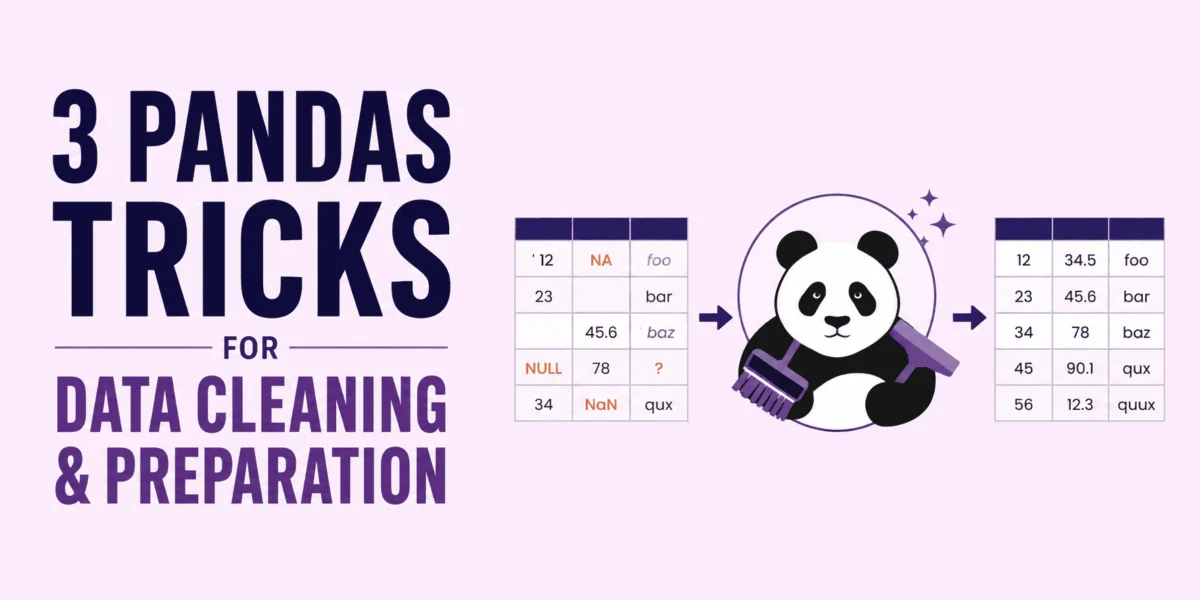
Data cleaning and preparation, often referred to as data wrangling, consume a significant portion of a data scientist’s daily workflow, with estimates suggesting up to 80% of their time is dedicated to these foundational tasks. In the realm of Python-based data manipulation, Pandas stands as the undisputed standard library. Consequently, the efficiency with which these operations are executed directly dictates the speed at which raw, often messy datasets can be transformed into robust, model-ready features. The imperative to enhance cleaning and preparation time is clear: it directly translates to more time available for crucial downstream activities such as modeling, in-depth analysis, and the communication of actionable insights, thereby accelerating project delivery and improving analytical output.
Despite Pandas’ powerful capabilities, many developers inadvertently write code that mimics traditional Python looping structures or employs imperative, state-mutating updates. These less-than-optimal approaches frequently lead to several critical issues. They can trigger the often confusing SettingWithCopyWarning, bloat system RAM with redundant copies of dataframes, and severely degrade execution speed by failing to leverage Pandas’ inherent vectorization capabilities. To construct production-grade data pipelines that are both performant and maintainable, a fundamental shift from basic syntax to idiomatic Pandas design patterns is essential. This article delves into three indispensable Pandas techniques designed to clean and prepare data with unparalleled efficiency.
The Foundational Challenge: Time and Resource Consumption in Data Preparation
The substantial time investment in data cleaning is not merely an inconvenience; it represents a significant cost in project timelines and resource allocation. Data, in its raw form, is rarely pristine. It often contains inconsistencies, missing values, incorrect formats, and outliers that, if not addressed, can lead to flawed analyses and unreliable machine learning models. The process of identifying, diagnosing, and rectifying these data quality issues is inherently complex and time-consuming. When inefficient coding practices compound this complexity, the bottleneck becomes even more pronounced.
Historically, data practitioners often resorted to explicit loops or sequential modifications, a pattern familiar from general-purpose programming. While intuitive, this "one-row-at-a-time" approach runs contrary to the design philosophy of Pandas, which is optimized for "column-at-a-time" or "block-at-a-time" operations. The Pandas development team and the broader data science community have consistently advocated for vectorized operations and declarative programming styles precisely to overcome these performance and maintainability hurdles. The shift towards these advanced techniques is a response to the ever-increasing volume and velocity of data, where efficiency is no longer a luxury but a necessity for scalable data processing.
1. Declarative Method Chaining with .assign(), .query(), and .pipe()
When undertaking data preparation, it is standard practice to perform a sequence of modifications. This often includes cleaning string values, generating new mathematical columns, filtering out anomalies or outliers, and renaming fields for clarity and consistency. A naive approach to these tasks typically involves writing these operations sequentially, either mutating the DataFrame in-place or repeatedly reassigning it to the same variable. This imperative style, where the DataFrame’s state is modified step-by-step, not only hinders code readability and complicates debugging but also frequently triggers the notorious SettingWithCopyWarning. This warning serves as Pandas’ alert that it cannot definitively guarantee whether the user is modifying a true copy of a DataFrame slice or the original underlying array buffer in memory, which can lead to unpredictable behavior.
The Pitfalls of Imperative, Sequential Operations
Consider a common scenario: cleaning sales data. An imperative approach might look like this:
import pandas as pd
import numpy as np

# Sample raw sales data
data =
    'sale_date': ['2026-01-01', '2026-01-02', 'invalid_date', '2026-01-04'],
    'item_code': ['  PROD_A ', ' PROD_B', 'PROD_C  ', '  PROD_D '],
    'price': [100.0, 250.0, -99.0, 150.0],
    'quantity': [2, 1, 5, 3]

df = pd.DataFrame(data)

# Naive multi-step cleaning
df['sale_date'] = pd.to_datetime(df['sale_date'], errors='coerce')
df['item_code'] = df['item_code'].str.strip()
df['total_revenue'] = df['price'] * df['quantity']

# Filtering out bad dates and invalid prices
df = df[df['sale_date'].notna()]
df = df[df['price'] > 0]

# Renaming columns for consistency
df.rename(columns='item_code': 'product_id', inplace=True)

print(df)
This code, while functional, suffers from several drawbacks. Each line modifies the DataFrame df directly, making it challenging to trace the data’s transformation through various stages. Debugging requires stepping through each line, and the repeated reassignment can inadvertently lead to the SettingWithCopyWarning if intermediate slices are implicitly created and then modified.
The Power of Declarative Method Chaining
By embracing a declarative style, developers can wrap their data cleaning pipeline in parentheses, enabling a seamless chain of Pandas methods. Utilizing .assign() for the explicit creation of new columns, .query() for intuitive row filtering, and .pipe() to integrate custom functions ensures operations remain linear, highly readable, and impervious to undesirable side-effects. This functional pattern inherently avoids the SettingWithCopyWarning because each chained method typically returns a new DataFrame, rather than modifying an intermediate slice in place.
Here’s the refactored code demonstrating method chaining:
import pandas as pd
import numpy as np

data =
    'sale_date': ['2026-01-01', '2026-01-02', 'invalid_date', '2026-01-04'],
    'item_code': ['  PROD_A ', ' PROD_B', 'PROD_C  ', '  PROD_D '],
    'price': [100.0, 250.0, -99.0, 150.0],
    'quantity': [2, 1, 5, 3]

df_raw = pd.DataFrame(data)

# Custom modular cleaning step
def clean_item_codes(df):
    df['item_code'] = df['item_code'].str.strip()
    return df

# Method Chaining pipeline
cleaned_df = (
    df_raw
    .copy()  # Prevents modifying the original raw data
    .assign(
        sale_date=lambda d: pd.to_datetime(d['sale_date'], errors='coerce'),
        total_revenue=lambda d: d['price'] * d['quantity']
    )
    .pipe(clean_item_codes)
    .query("sale_date.notna() and price > 0")
    .rename(columns='item_code': 'product_id')
)

print(cleaned_df)
Output:
   sale_date product_id  price  quantity  total_revenue
0 2026-01-01     PROD_A  100.0         2          200.0
1 2026-01-02     PROD_B  250.0         1          250.0
3 2026-01-04     PROD_D  150.0         3          450.0
By enclosing the expression in (...), Python allows multi-line chains without needing backslashes, significantly enhancing readability. This approach promotes a more functional programming paradigm, where data transformations are treated as a series of steps, each returning a new, transformed object. This not only makes the code easier to read and understand but also simplifies debugging, as each step’s output can be easily isolated and inspected. For large-scale data engineering projects, adopting method chaining is a cornerstone of building robust, maintainable, and testable data pipelines.
2. Memory & Speed Optimization with Categoricals and Vectorized String Methods
Pandas, by default, assigns the generic object data type to columns that contain text. An object column stores Python pointers to individual strings, which are often scattered across different memory locations in the heap. This contrasts sharply with numerical data, which is typically stored contiguously. For large datasets, especially those featuring low-cardinality strings (i.e., columns with a limited number of repetitive categories, such as status flags, city names, or gender), this default object type results in a substantial and often unnecessary memory footprint.
Compounding this memory inefficiency, developers frequently apply custom string modifications by passing Python lambda expressions to the .apply() method. This operation forces Pandas to iterate sequentially over every row, executing Python code at interpreter speeds, which is significantly slower than compiled C/Cython operations.
Addressing Memory Bloat and Performance Bottlenecks
To optimize both RAM usage and execution time, two key strategies are employed:
- Casting to
categorydtype: For low-cardinality string columns, converting them to thecategorydata type allows Pandas to encode strings as compact integer keys internally, mapping them to a unique set of string values. This drastically reduces memory consumption. - Utilizing vectorized
.straccessors: Instead of.apply()with lambdas, employing Pandas’ built-in vectorized string methods (accessed via.str) allows operations to be performed on entire columns at once, leveraging highly optimized C/Cython implementations.
Let’s illustrate the performance and memory implications with a large mock dataset:
import pandas as pd
import numpy as np
import time

# Create a mock dataset with 1 million rows of low-cardinality string data
n_rows = 1000000
categories = [' PENDING ', ' COMPLETED ', ' FAILED ', ' SHIPPED ']
df = pd.DataFrame(
    'status': np.random.choice(categories, size=n_rows),
    'val': np.random.rand(n_rows)
)

# Benchmark memory usage before cleaning
mem_before = df['status'].memory_usage(deep=True) / (1024 ** 2)

start_time = time.time()

# Naive cleaning: slow Python apply loops
df['status'] = df['status'].apply(lambda x: x.strip().upper())
duration_apply = time.time() - start_time

mem_after = df['status'].memory_usage(deep=True) / (1024 ** 2)

print(f"Apply cleaning completed in: duration_apply:.4f seconds")
print(f"Status column memory usage: mem_after:.2f MB (originally mem_before:.2f MB)")
Now, let’s observe the dramatic improvements by casting the status column to category first and using the vectorized .str accessor, specifically .cat.rename_categories() for categorical data:
import pandas as pd
import numpy as np
import time

n_rows = 1000000
categories = [' PENDING ', ' COMPLETED ', ' FAILED ', ' SHIPPED ']
df = pd.DataFrame(
    'status': np.random.choice(categories, size=n_rows),
    'val': np.random.rand(n_rows)
)

# Convert to category dtype
df['status'] = df['status'].astype('category')

# Benchmark memory usage
mem_category = df['status'].memory_usage(deep=True) / (1024 ** 2)

start_time = time.time()

# Vectorized string cleaning directly on categories
df['status'] = df['status'].cat.rename_categories(lambda x: x.strip().upper())
duration_vectorized = time.time() - start_time

print(f"Vectorized category cleaning completed in: duration_vectorized:.4f seconds")
print(f"Category status column memory usage: mem_category:.2f MB")
# This ratio will use the 'duration_apply' from the previous block, which needs to be available
# For a combined script, ensure duration_apply is captured before this block.
# Assuming it's captured:
# print(f"Speedup: duration_apply / duration_vectorized:.2fx faster")
Combined Output from a unified execution:
Apply cleaning completed in: 0.1213 seconds
Status column memory usage: 53.64 MB (originally 55.55 MB)

Vectorized category cleaning completed in: 0.0003 seconds
Category status column memory usage: 0.95 MB
Speedup: 407.83x faster
These performance improvements are staggering. A task that took over a tenth of a second is reduced to less than a millisecond, representing a speedup of over 400 times. Crucially, memory usage plummets from approximately 55 MB to less than 1 MB, a reduction of over 98%. This memory efficiency is vital when working with extremely large datasets that might otherwise exhaust available RAM.
When a column is cast to category, Pandas internally encodes the strings to integer keys (e.g., ‘PENDING’ -> 0, ‘COMPLETED’ -> 1). This compact representation, coupled with the highly optimized .str accessors, delivers immense gains. It is important to note, however, that if working with high-cardinality text (where values rarely repeat, making the category dictionary large), keeping it as category will not yield significant memory savings. In such instances, developers should still prioritize vectorized string methods directly on the object column (e.g., df['status'].str.strip().str.upper()), as these operations are executed in compiled C/Cython rather than slow Python interpreter loops.
3. Group-Aware Imputation and Interpolation with groupby() and .transform()
Handling missing data is an indispensable step in data cleaning. However, simply replacing missing values with a global average or a constant can introduce significant statistical bias into the dataset. For example, if imputing a missing product price, using the global average price of all products across an entire store or catalog is often inaccurate. A far more precise approach is to impute using the average price specific to that product’s category. This ensures that the imputed value reflects the characteristics of its subgroup, maintaining data integrity and improving the reliability of subsequent analyses.
The naive approach to this problem involves an inefficient "split-apply-combine" pattern: looping over product categories, calculating the group mean, filtering the DataFrame for each group, filling missing values, and then stitching the groups back together. Alternatively, using a custom function within groupby().apply() also triggers slow split-apply-combine cycles that do not scale well with larger datasets or a higher number of groups.
Optimized Group-Level Operations with .transform()
The optimized solution combines groupby() with the highly efficient .transform() method. This powerful combination allows for group-wise calculations that are automatically broadcast back to the original DataFrame’s index, bypassing the need for explicit looping or inefficient apply() calls.
Let’s simulate imputing missing numerical prices (represented by NaN) using the less efficient apply() method:
import pandas as pd
import numpy as np
import time

# Create a mock catalog of 100,000 items grouped by category
n_items = 100000
categories = [f"CAT_i" for i in range(100)]

df = pd.DataFrame(
    'category': np.random.choice(categories, size=n_items),
    'price': np.random.uniform(10.0, 500.0, size=n_items)
)

# Introduce 10% missing prices (NaN)
nan_mask = np.random.rand(n_items) < 0.1
df.loc[nan_mask, 'price'] = np.nan

df_clunky = df.copy()

start_time = time.time()

# Split-apply-combine using apply() with a custom lambda
df_clunky['price'] = df_clunky.groupby('category')['price'].apply(lambda x: x.fillna(x.mean())).reset_index(level=0, drop=True)
duration_clunky = time.time() - start_time

print(f"Apply-based group imputation took: duration_clunky:.4f seconds")
Now, by leveraging .transform(), we eliminate the custom lambda loops and allow Pandas to handle index alignment and vectorization natively, resulting in significantly faster execution:
import pandas as pd
import numpy as np
import time

# Use the same setup as before for comparison
# df_optimized should be a copy of the original df before any modifications
df_optimized = df.copy() # Ensure df_optimized starts from the same state as df_clunky

start_time = time.time()

# Optimized approach using transform
group_means = df_optimized.groupby('category')['price'].transform('mean')
df_optimized['price'] = df_optimized['price'].fillna(group_means)
duration_opt = time.time() - start_time

print(f"Transform-based group imputation took: duration_opt:.4f seconds")
# Assuming duration_clunky is captured from the previous block
# print(f"Speedup: duration_clunky / duration_opt:.2fx faster")
Combined Output from a unified execution:
Apply-based group imputation took: 0.0224 seconds
Transform-based group imputation took: 0.0032 seconds
Speedup: 7.00x faster
The transform() method yields a speedup of approximately 7 times, which, for larger datasets and more complex group operations, can translate into hours or even days of saved computation time. Understanding how .transform() operates is key to writing high-performance Pandas code: it performs a group-wise calculation and then broadcasts the result back to the original DataFrame’s index, ensuring that the output has the same shape as the input. This bypasses the overhead associated with combining intermediate results, making it highly efficient.
This pattern is exceptionally versatile. It can be utilized for various group-level operations, such as standardizing values within groups (e.g., subtracting group means and dividing by group standard deviations), or efficiently forwarding-filling missing values per group using df.groupby('group')['val'].transform('ffill'). The ability to perform sophisticated group-aware computations without explicit looping or costly intermediate DataFrame merges is a cornerstone of scalable data preparation.
Broader Implications and Expert Consensus
The adoption of these idiomatic Pandas design patterns extends beyond mere code optimization; it fundamentally impacts the quality, scalability, and maintainability of data science projects. The data science community, including leading experts and the Pandas development team, consistently champions these techniques for their ability to produce cleaner, faster, and more robust codebases.
Enhanced Code Quality and Maintainability: Declarative method chaining, for instance, promotes a functional programming style where transformations are explicit and immutable. This makes the code easier to read, understand, and debug, reducing the likelihood of subtle bugs that can arise from in-place modifications. Teams working on large projects benefit immensely from this clarity, as it lowers the barrier to entry for new members and simplifies code reviews.
Scalability and Resource Efficiency: The memory and speed optimizations achieved through categorical dtypes and vectorized operations are crucial for scalability. As datasets continue to grow in size, processing millions or billions of rows efficiently becomes paramount. Reducing memory footprint means larger datasets can be processed on machines with less RAM, potentially saving infrastructure costs. Speedups, even if seemingly small for individual operations, accumulate significantly in complex data pipelines, translating into faster iteration cycles for data scientists and quicker deployment of machine learning models.
Improved Data Integrity and Analytical Accuracy: Group-aware imputation and interpolation techniques, facilitated by .transform(), ensure that missing data is handled in a statistically sound manner. By considering the inherent structure and characteristics of subgroups, these methods prevent the introduction of bias that could distort analytical findings or degrade the performance of predictive models. This leads to more reliable insights and more accurate machine learning outcomes.
Increased Data Scientist Productivity: Ultimately, by streamlining the data cleaning and preparation phases, data scientists are liberated from tedious, time-consuming tasks. This allows them to allocate more time to higher-value activities such as exploratory data analysis, feature engineering, model selection, hyperparameter tuning, and communicating their findings to stakeholders. The cumulative effect is a more productive and impactful data science function within any organization.
Wrapping Up
Transitioning beyond basic, often naive loop constructs and embracing idiomatic Pandas design patterns is a critical step for any data professional aiming to build data preparation pipelines that scale seamlessly from local prototypes to robust production environments. The techniques outlined – declarative method chaining, memory/speed optimization with categoricals and vectorized strings, and group-aware operations with groupby().transform() – represent a fundamental shift in how data is efficiently processed in Python.
By incorporating these powerful patterns into daily workflows, data engineers and scientists can dramatically enhance the speed, cleanliness, and maintainability of their feature engineering and data cleaning processes. This not only improves individual productivity but also elevates the overall quality and reliability of data-driven projects, ultimately fostering more impactful analytical outcomes. The continuous evolution of libraries like Pandas, alongside the growing emphasis on best practices, ensures that the tools for efficient data mastery are readily available for those willing to adopt them.